2.2.2 Connecting Sensor Cables to SLC-220
Up to four sensors may be connected to the SLC-220. Each sensor is connected individually. The
sensor wires are passed through the proper sensor cable gland in the external wall of the
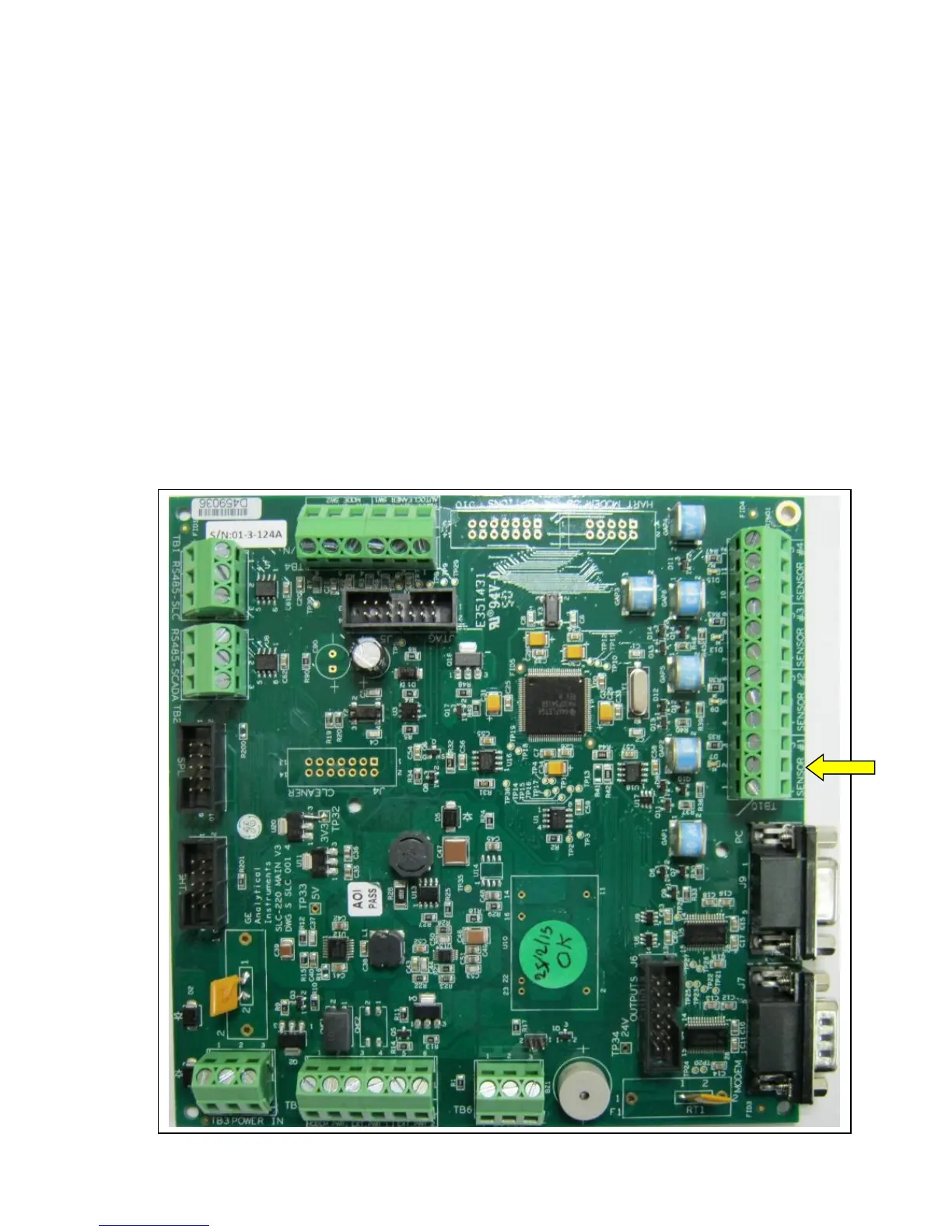
enclosure. Then they are connected to the respective contacts in terminal block TB10 (on Main
Board) as follows:
Wire Color TB10 Contact Contact Function
Red or Brown or Black#1 + Sensor +12 VDC (DET+)
Black or Yellow or Black#2 - Sensor GROUND (DET-)
Blue, or Black#3 SIG Sensor SIGNAL (Iout)
Note: For EMC compatibility, a small EMC Filter board is installed as an extension to TB10.
Refer to Appendix D.
Main Board picture:
TB10 is on the right side



 To Next Page