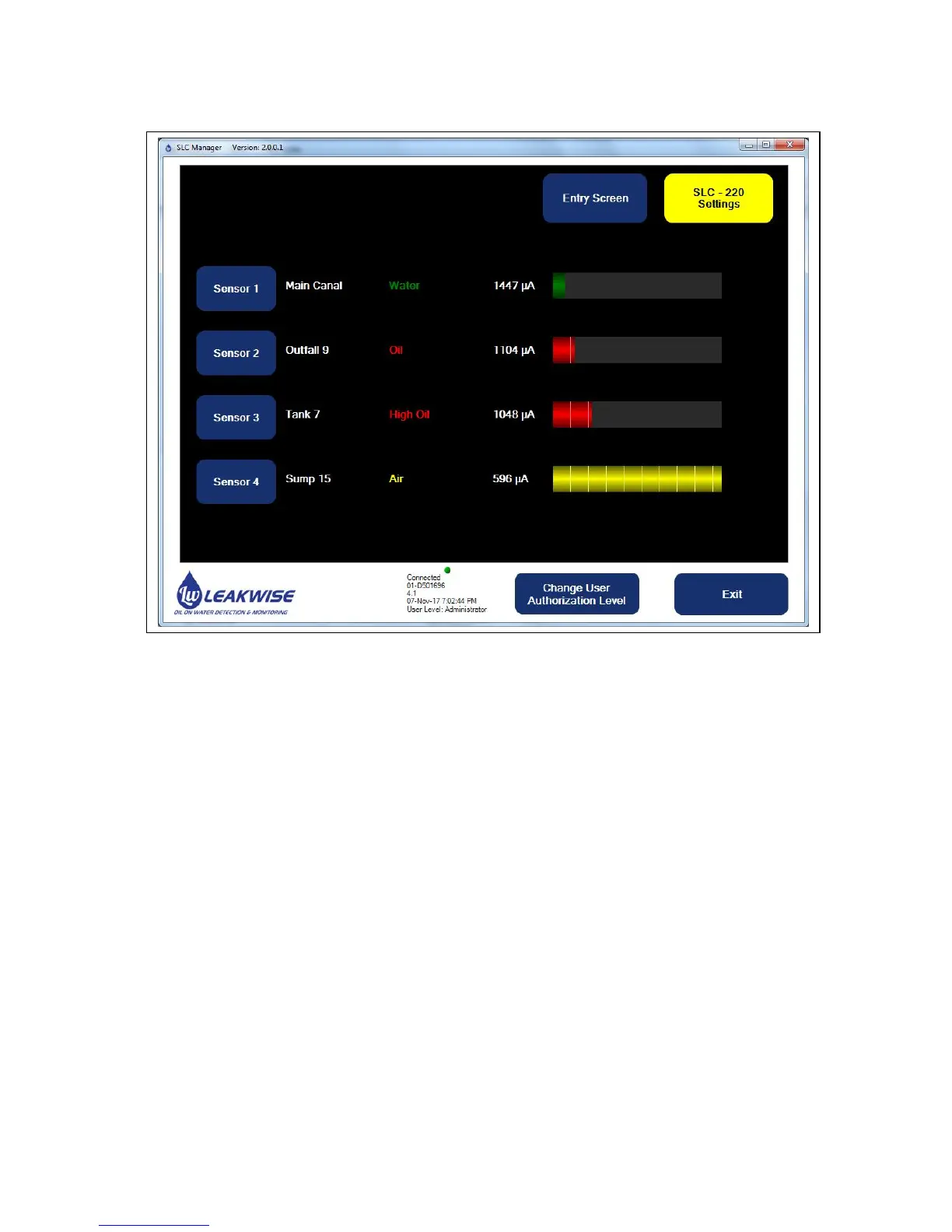
4.3 Main Sensors View Screen
This screen shows the current status of all four sensors.
For each sensor the data includes:
Sensor / Installation site name,
Status,
Raw sensor signal in µA
A color bar graph that indicates the signal visually within the calibration range.
Sensor 1 / Sensor 2 / Sensor 3 / Sensor 4 buttons:
Pressing one of these buttons continues to a detailed specific Sensor Settings screen.
Entry Screen button: Return to the Entry Screen.
SLC-220 Menu button: Continue to the SLC-220 Settings screen.
The lower area of the screen is for SLC-220 special status / error Messages.



 To Next Page