10 Appendix B: Connecting a PC to SLC-220
1. Install the SLC-Manager program on the PC according to the instructions supplied in the
ReadMe file in the installation CD.
2. A RS-232 cable is supplied, 3 meters long. It is a D-SUB 9 pins male to female, straight
wired (pins 2 and 3 are not crossed).
3. A USB-to-Serial converter is also supplied for a PC without a RS-232 port, and includes its'
own installation disk. It is essential to install the driver for this converter! Follow the
instructions supplied in the CD. Select the UC-232A directory in the CD and run the
appropriate “exe” file to install the driver.
4. Plug the USB-to-Serial converter to a free USB port in the PC. The driver will be
automatically installed for the specific USB port.
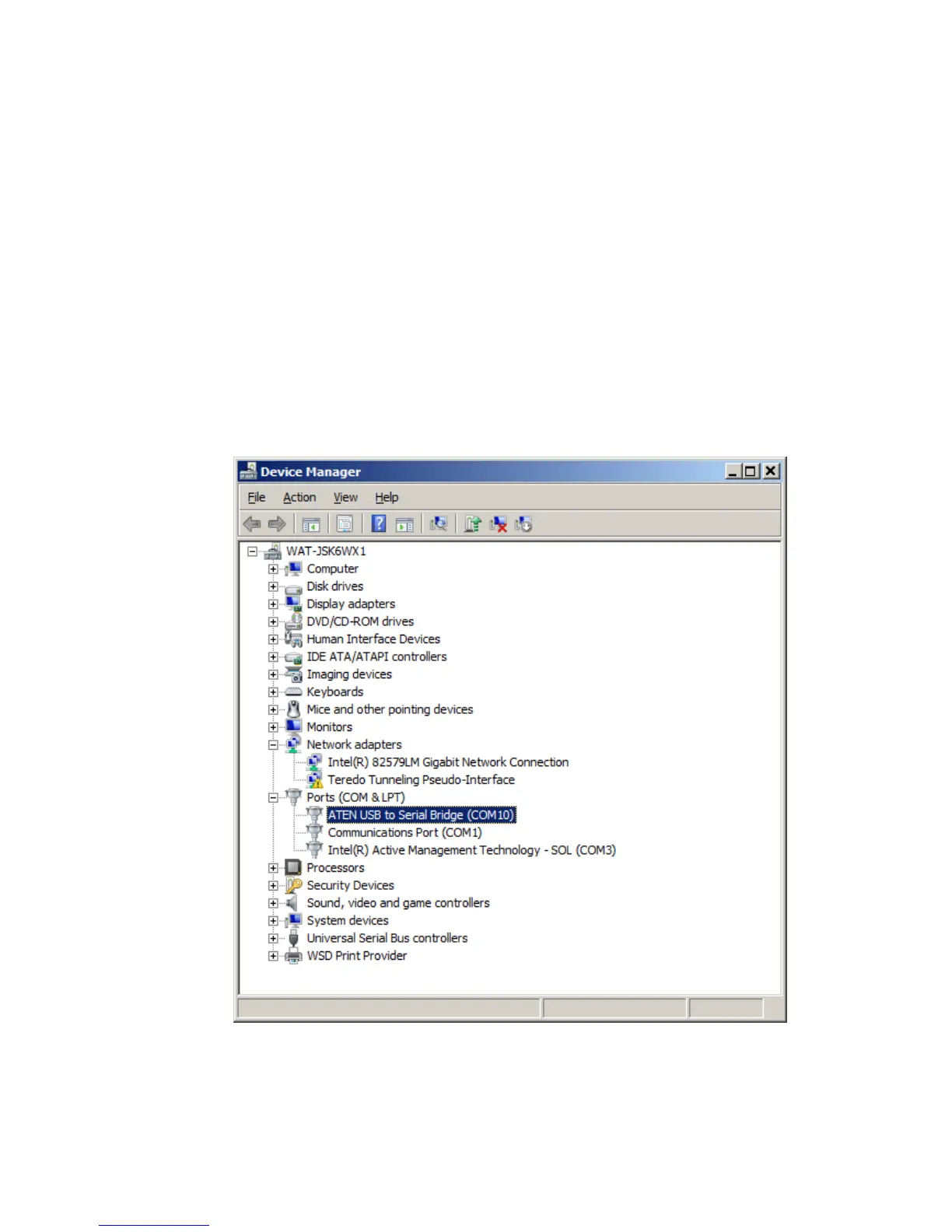
5. Open Device Manager of Windows, identify the ATEN USB to Serial Bridge in “Ports
(COM & LPT)”, and verify that it has no error indication. The serial port on which it was
installed is clearly shown (COM 10 in the example below):
6. Close (if it was open) and then start SLC-Manager program.
7. From the Entry screen of SLC-Manager click on Communication Settings and then click
Serial Port Settings.



 To Next Page