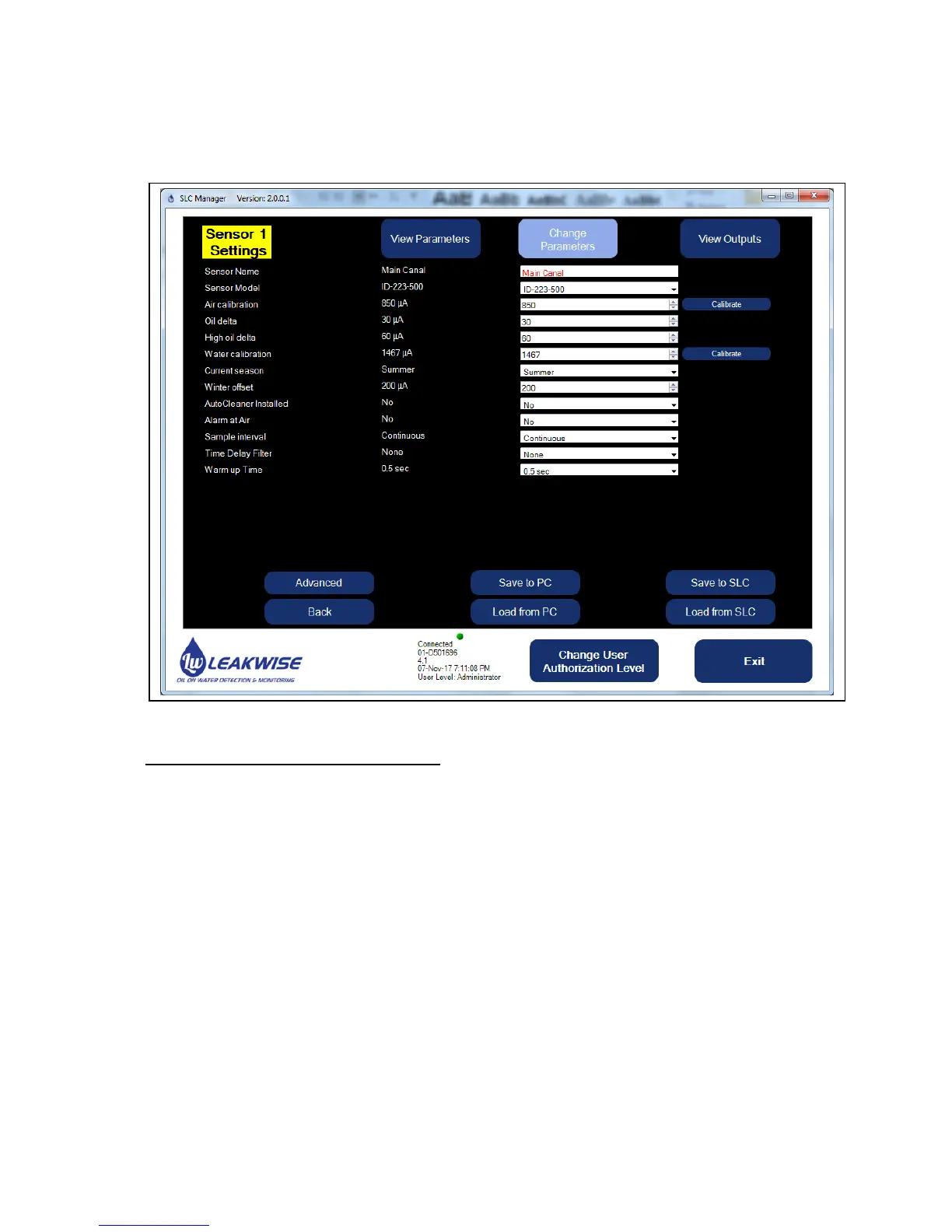
The parameters can be changed after pressing the Change Parameters button by a Technician
or by an Administrator user level:
The parameters are (see also chapter 3):
1. Sensor name: A text field with up to 13 characters.
2. Sensor model: As defined. It is important to select the correct model since the typical
signal ranges are selected by the system and used to derive self-test results.
3. Air Calibration: A value (in μA) that is equal to sensor output in Air, without any liquid
around.
Note: When the Calibrate button is pressed (on this line while in the Change mode), a
measuring cycle is performed, and the sensor signal is taken as Air Calibration. This
means that the sensor must be in dry condition when doing this.
4. Oil Delta: A value (in μA) below Water Calibration. If sensor's signal is less than Water
Calibration - Oil Delta - Hysteresis, then the status is OIL alarm.
5. High Oil Delta: A value (in μA) below Water Calibration. If sensor's signal is less than
Water Calibration - High Oil Delta - Hysteresis, then the status is HIGH OIL alarm.



 To Next Page