Page 48
301 Fulling Mill Road, Suite G ©Copyright 2015 by Legrand,
Middletown, PA 17057 Inc All Rights Reserved.
(800) 321-2343 www.legrand.us
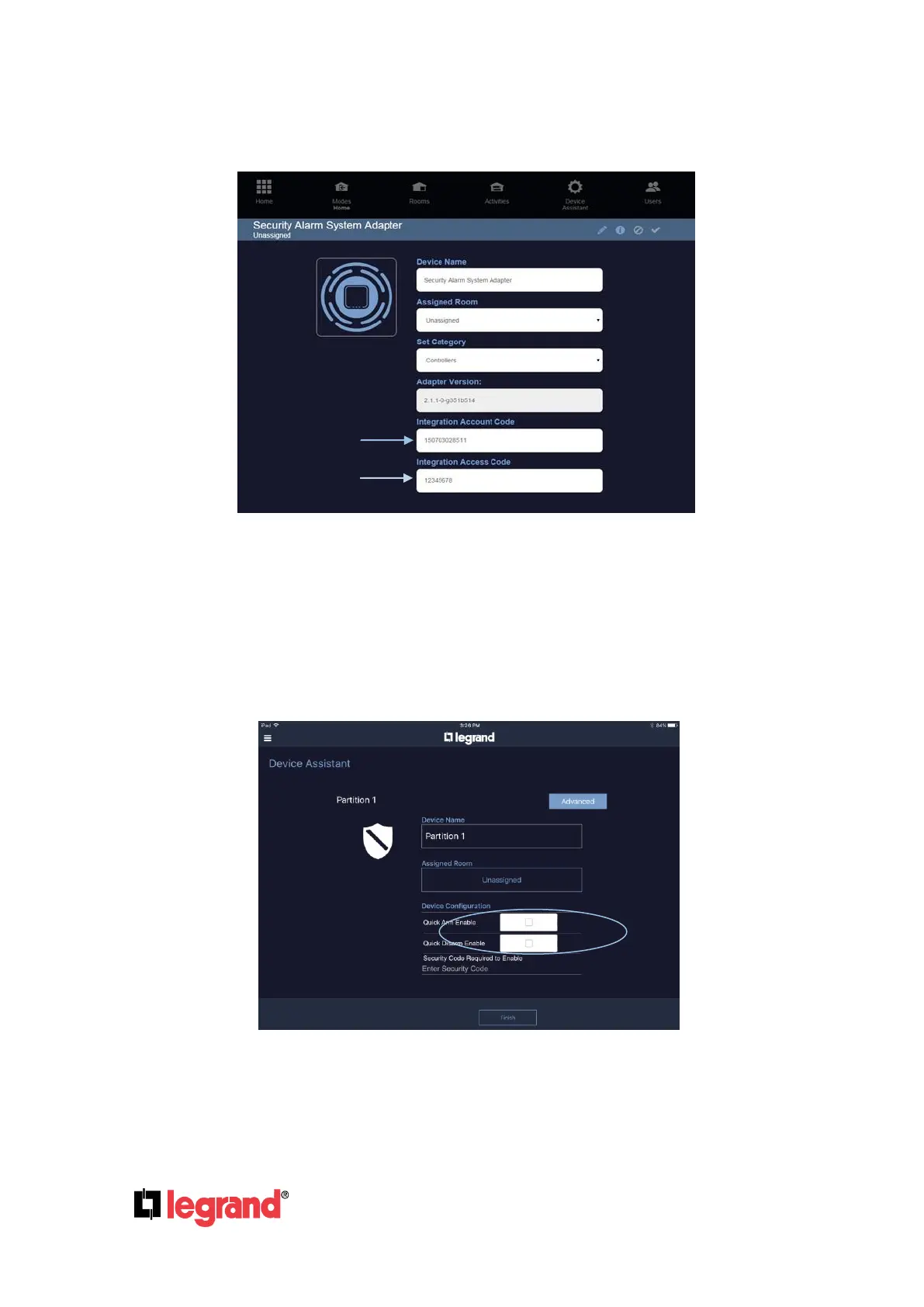
4. Enter the 12 digit Integration Account Code
5. Enter the 8 digit Integration Access Code
The final step is to add zones and partitions by going to Device Assistant – Add device – Add
manually – Security Alarm Device and then selecting “Add”.
Complete the Configuration of the security system by assigning sensors to the rooms in which
they reside. To enable “Quick Arm” and/or “Quick Disarm”, go to the “List of Devices” and Select
the Partition.
NOTE: If Quick Arm is enabled in the Intuity App, it must also be enabled in the security
systems programming.



 To Next Page
 Loading...





