EN
203
Basic photo settings
IMAGE STABILIZATION
The less light there is when taking a picture, the slower the shutter
speed has to be in order to achieve the right exposure. This can
quickly lead to shutter speeds so long that camera shake, and as a
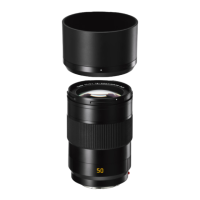
result image blurring becomes a problem. The Leica SL's lenses
are equipped with an optical stabilization system that can
compensate for this up to a certain degree, i.e. the equivalent of
up to approx. three shutter speed steps. This enables you to create
sharp pictures with shutter speeds slower than what would
normally be feasible while holding a camera by hand. Video
recordings also benefit from a considerably steadier image.
Keep in mind though, that this system cannot prevent blurred
images caused by subject movements in conjunction with
inappropriate, i.e. too slow shutter speeds.
Setting the function
1. In the menu's
SETUP section, select
Optical Image Stabilization and
2. in the submenu,
On or Off.
When set to
on, the camera automatically selects the appropriate
type of operation. Usually, this will mean compensation in all
directions. When only a horizontal movement in one direction is
registered though, e.g. when 'following' a moving subject during an
exposure to 'freeze' it in front of the background, only vertical
compansation takes place.
Note:
This function can be assigned to one of the soft keys for direct
access.
SL_EN.indd 203 16.09.2015 15:04:29



 To Next Page