8
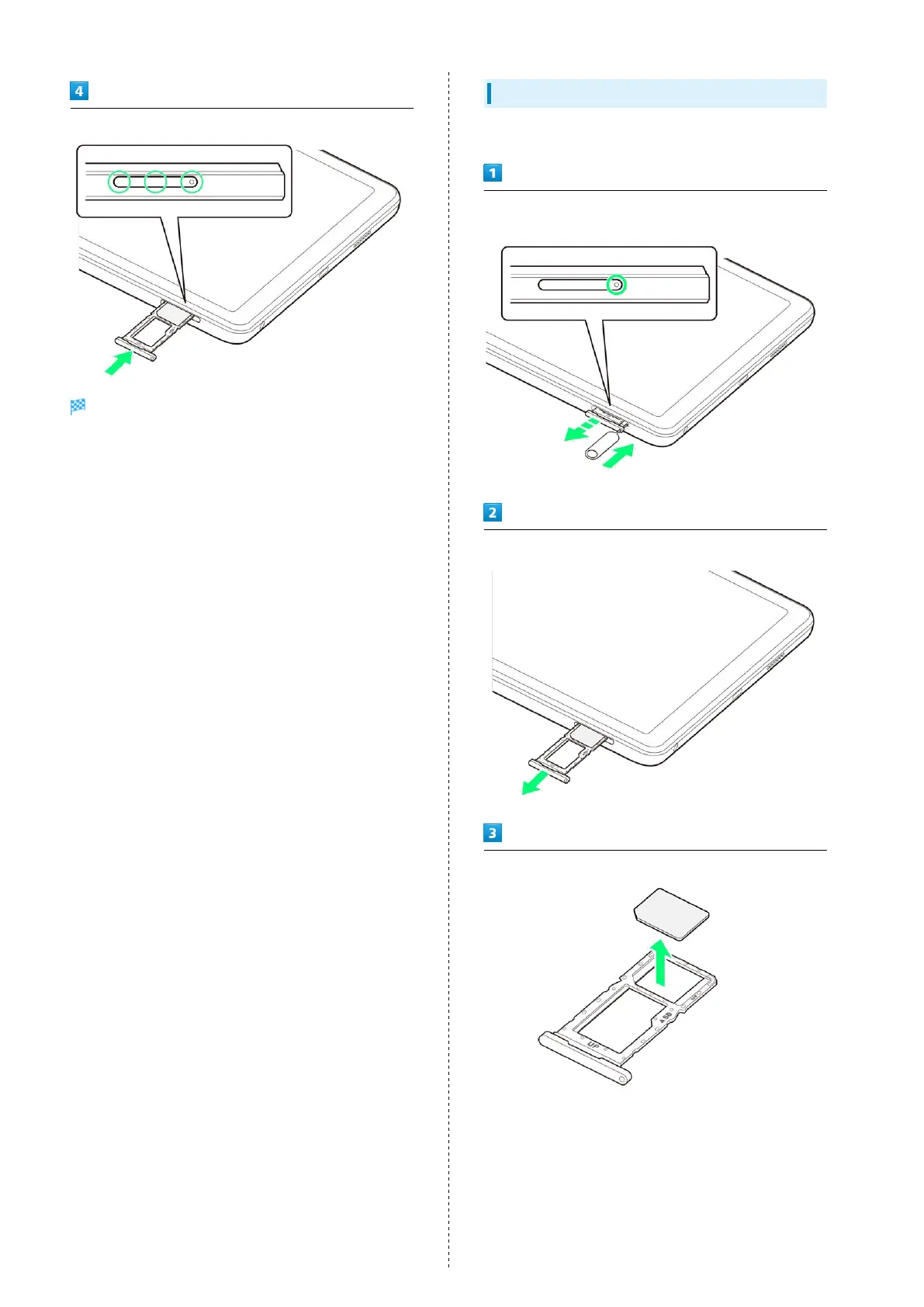
Insert USIM/SD Card Tray straight in USIM/SD Card Slot
USIM Card is inserted.
・Press firmly where circled ○, and make sure there is no gap
between tablet and USIM/SD Card Tray.
Removing USIM Card
Always power off beforehand.
Insert USIM/SD Card Removal Tool (complimentary sample)
straight in hole in USIM/SD Card Tray
Pull USIM/SD Card Tray straight out
Remove USIM Card from USIM/SD Card Tray



 To Next Page