16
Making Initial Settings
When powering on the first time, an initial settings wizard
appears for optionally making Wi-Fi, Google™ account, and
other settings. Follow onscreen instructions to set items.
To use USIM Card, insert USIM Card before powering on tablet.
Making Initial Settings
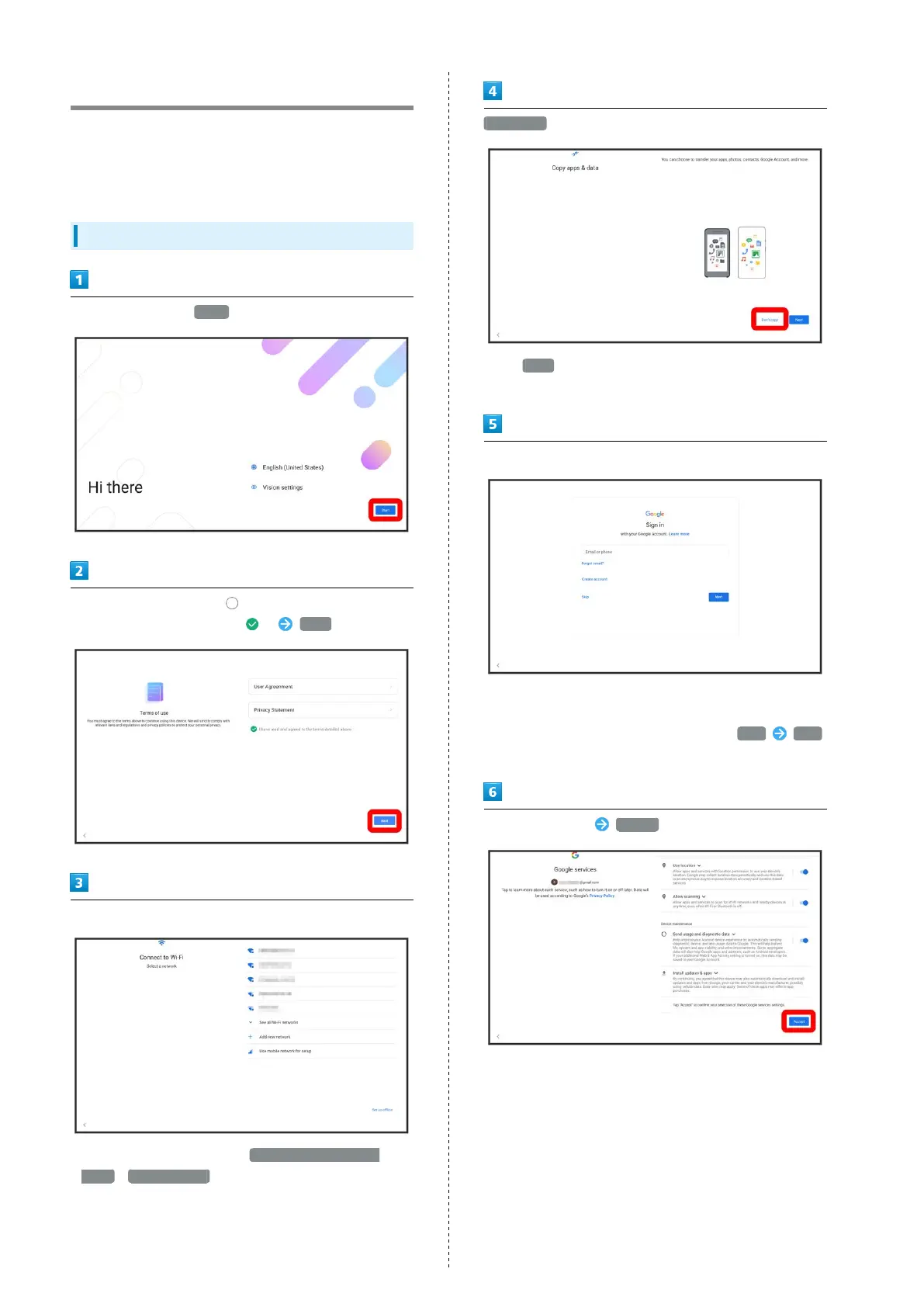
Select language then Start
Check terms of usage, Tap for "I have read and agreed
to the terms detailed above." ( ) Next
Follow onscreen prompts to set Wi-Fi
・
To skip Wi-Fi settings, select Use mobile network for
setup / Set up offline . Continue by following onscreen
instructions.
Don't copy
・
Tap Next to copy data from another mobile with Google
account settings. Follow onscreen prompts.
Follow onscreen prompts to set a Google account
・For details on Google accounts, see "Using a Google
Account."
・
If not making Google account settings, Tap Skip Skip
.
Select items to set Accept



 To Next Page