77
Tablet Settings
Lenovo TAB7
Biometrics and Passwords Settings
Make settings for screen lock, facial recognition, etc.
Setting Screen Not to Lock
In Home Screen, (Settings) Biometrics and
Passwords Password None
・If method for unlocking screen is setting other than
None or Swipe before changing setting, first Tap
Password and unlock screen.
Biometrics and Passwords Settings
Settable items are the following.
・Available items vary depend on settings.
Item Description
Password Set screen unlock option.
Facial
recognition
Set facial recognition.
See "Using Facial recognition" for details.
Make pattern
visible
1
Set whether to show pattern (traced with
finger).
Show
passwords
2
Enable PIN or password to be visible as it
is entered.
Smart Lock
3
Enable tablet to check if it is being
carried or for trusted device or place and
unlock screen.
1 Appears when Password is set to Pattern .
2 Available when Password is set to PIN / Password .
3 Available when Password is set to Pattern / PIN /
Password .
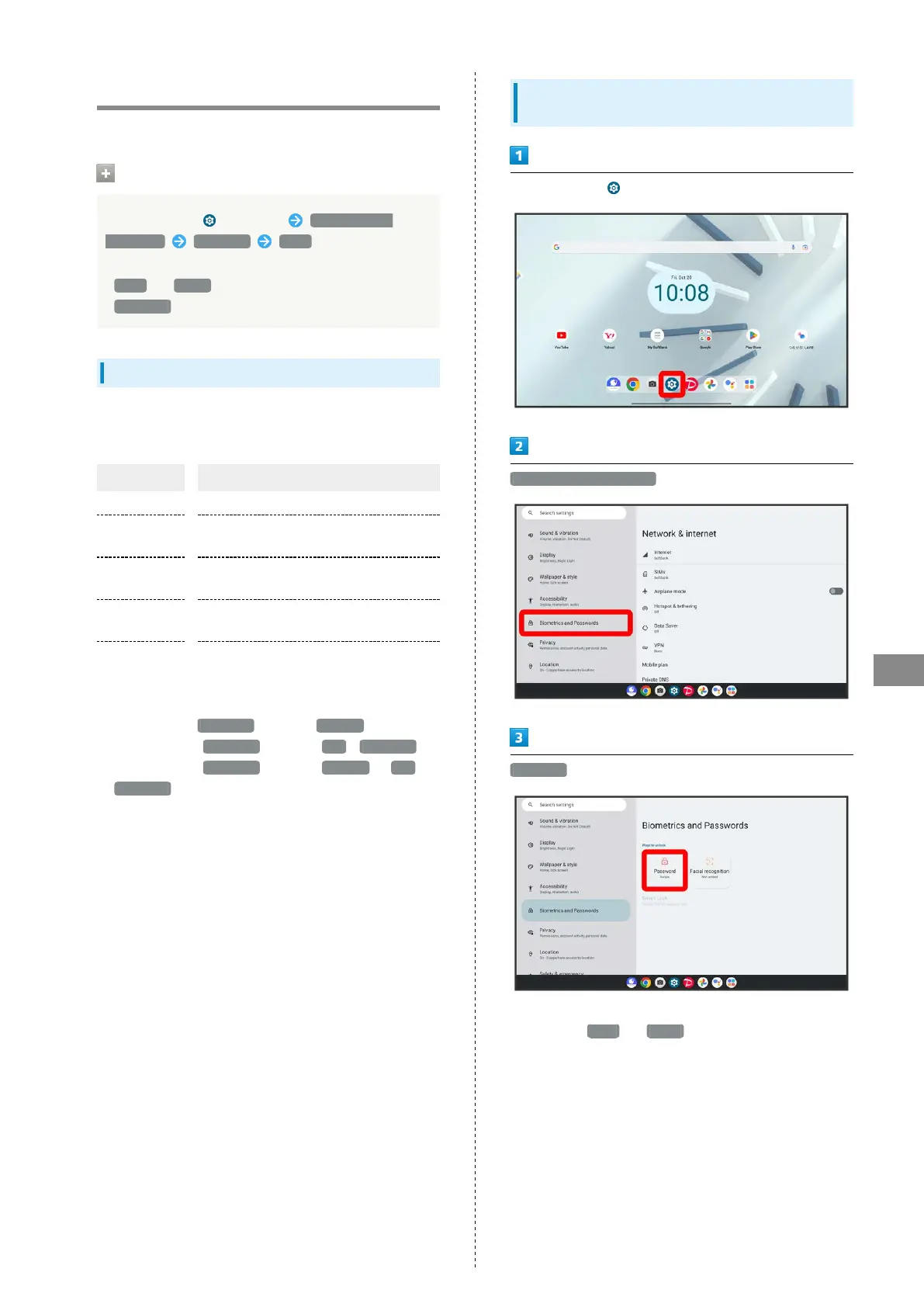
Setting Screen to Unlock by Flicking
Screen
In Home Screen, (Settings)
Biometrics and Passwords
Password
・If method for unlocking screen before change is setting
other than None or Swipe , first unlock screen.



 To Next Page