18
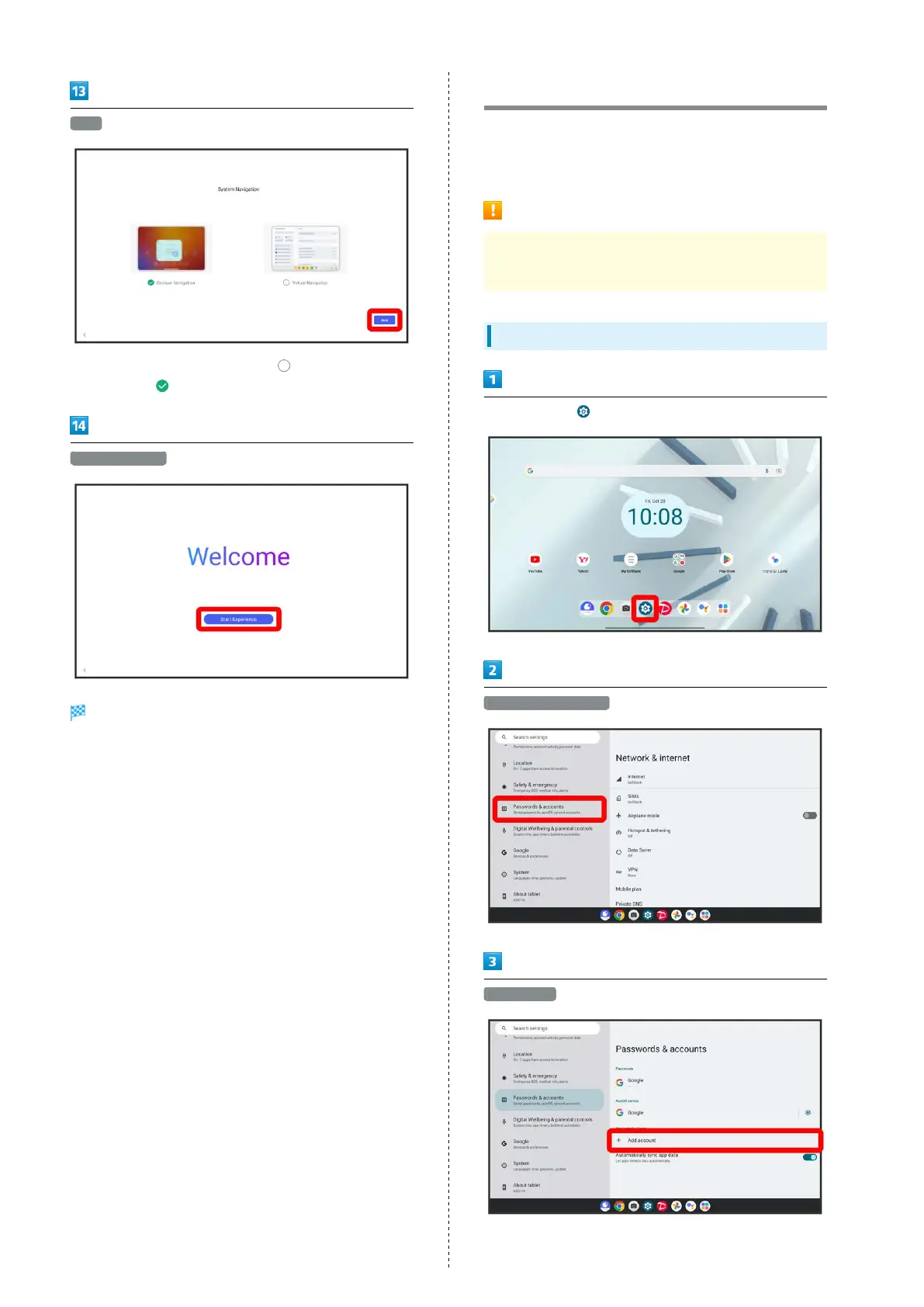
Next
・
To select "Virtual Navigation", Tap for "Virtual
Navigation" ( ).
Start Experience
Settings are made.
Using a Google Account
Use a Google account and get more convenience with Google
services. A Google account is required to use some services or
fully use some applications.
Google Account Cautions
Be careful not to forget your Google account mail address
or password.
Creating a Google Account
In Home Screen, (Settings)
Passwords & accounts
Add account



 To Next Page