84
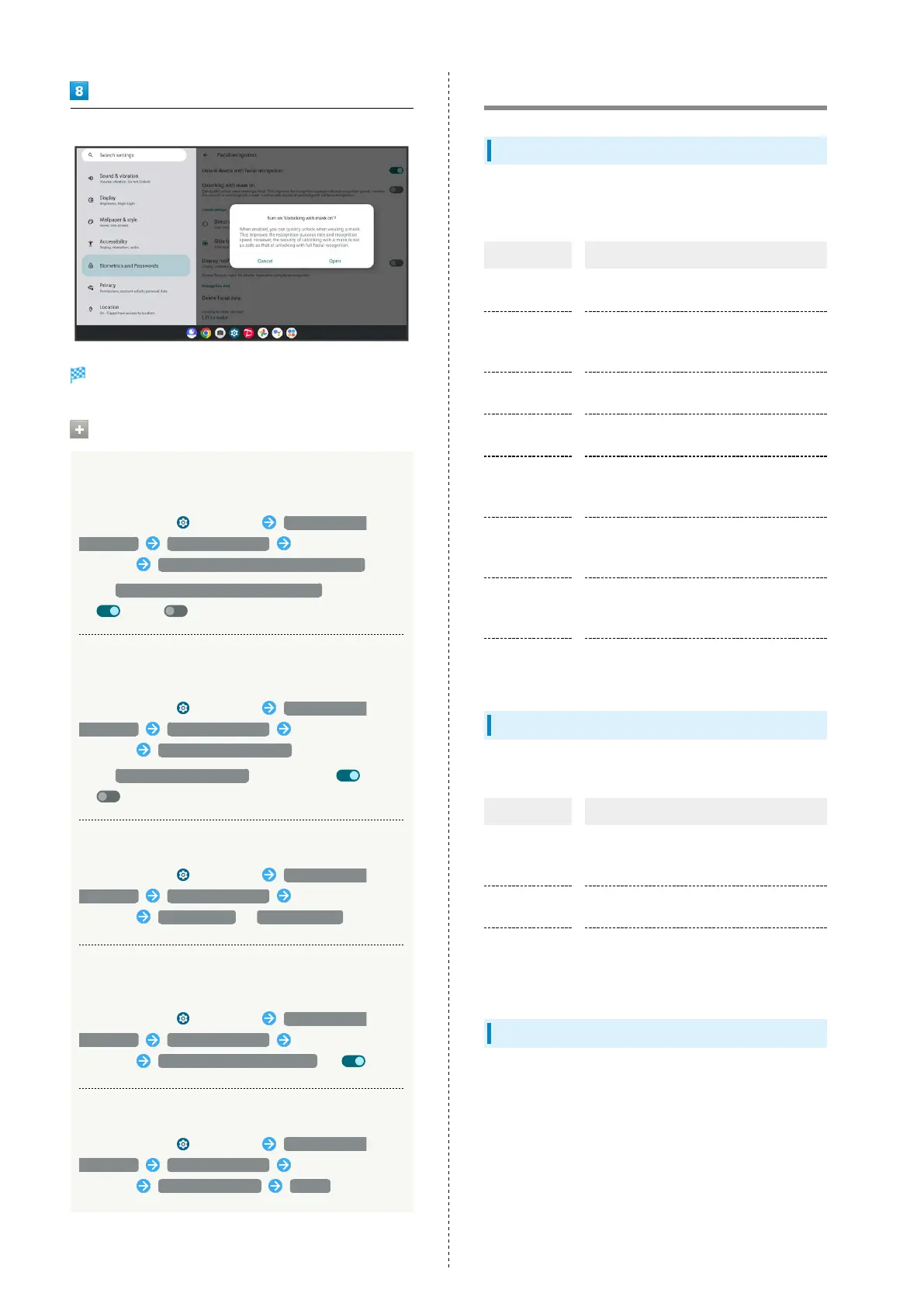
Make settings for using "Unlocking with mask on"
Setting is complete.
Facial recognition Operations
Setting Whether to Unlock Tablet with Facial
Recognition
In Home Screen, (Settings) Biometrics and
Passwords Facial recognition Enter pattern/PIN/
password Unlock device with facial recognition
・
Tap Unlock device with facial recognition to toggle on
( )/off ( ).
Setting Whether to Unlock Tablet with Facial
Recognition while Wearing Mask
In Home Screen, (Settings) Biometrics and
Passwords Facial recognition Enter pattern/PIN/
password Unlocking with mask on
・
Tap Unlocking with mask on to toggle on ( )/off
( ).
Selecting Operation after Facial Recognition
In Home Screen, (Settings) Biometrics and
Passwords Facial recognition Enter pattern/PIN/
password Direct unlock / Slide to unlock
Setting All Notifications to Be Shown after
Facial Recognition
In Home Screen, (Settings) Biometrics and
Passwords Facial recognition Enter pattern/PIN/
password Display notification content ( )
Deleting Facial Data
In Home Screen, (Settings) Biometrics and
Passwords Facial recognition Enter pattern/PIN/
password Delete facial data Delete
Safety & emergency Settings
Safety & emergency Settings
Make settings for emergency contacts and emergency alerts.
Settable items are the following.
Item Description
Medical
information
Check and edit your medical information.
OPEN
PERSONAL
SAFETY
Make settings for Personal Safety.
Emergency
contacts
Check and add your emergency contacts.
Crisis alerts
Set whether to receive notifications about
nearby disasters, etc.
Emergency
Location
Service
Set whether to send location when making
an emergency call.
Earthquake
alerts
Set whether to sound alarm when an
earthquake is detected near your current
location. Not supported in Japan.
Wireless
emergency
alerts
Make settings for emergency alerts.
More security
settings
Set Smart Lock, device admin applications,
etc.
Main Security Codes
The following are main security codes required for tablet use.
Code Description
Center Access
Code
A four-digit code set in subscription
contract.
See "Center Access Code" for details.
SIM PIN
A code for USIM Card.
See "Enabling USIM PIN" for details.
PIN
A code for unlocking screen.
See "Requiring PIN Entry for Unlocking
Screen" for details.
Center Access Code
Center Access Code is a four-digit code set in subscription
contract; necessary to use optional services from landlines,
etc.
・Do not forget Center Access Code. If you forget the code,
contact us for recovery. For details, contact Customer
Service.
・Be careful not to reveal security codes to others. If misused
by others, SoftBank Corp. is not liable for any resulting
damages.



 To Next Page