69
Tablet Settings
Lenovo TAB7
Sound & Vibration Settings
Make notification ringtone, operation tone, and other sound
and notification settings.
Sound & Vibration Settings
Settable items are the following.
Item Description
Dolby Atmos
・Dynamic
Dolby Sound recognizes the content
and performs automatic adjustments to
achieve the best sound.
・Movie
Realistic surround sound and clearer
dialogue, allowing you to experience the
full effect of movies and TV shows.
・Music
Full and delicate sound effects give
moving power to every note and beat
delivered.
Media volume Set volume for music, videos, etc.
Alarm volume Set volume for alarm.
Notification
volume
Set volume for notification.
Do Not
Disturb
Set Do Not Disturb.
Live Caption
This option automatically captions speech
captured on the device.
Media
This option allows users to hide the media
player after it completes media playing.
Vibration &
haptics
Set whether tablet vibrates for
notifications, when keys Tapped, etc.
Shortcut
to prevent
ringing
Set whether to mute notification ringtone
by Pressing Power Key and Volume Up Key,
etc.
Default
notification
sound
Set notification sound.
Default alarm
sound
Set alarm sound.
Screen locking
sound
Enable/Disable tone when Locking/
Unlocking Screen.
Charging
sounds and
vibration
Set whether tone sounds and tablet
vibrates when starting charging.
Touch sounds
Enable/Disable confirmation tones when
tapping a Menu, etc.
Always show
icon when in
vibrate mode
Set whether to show on Status Bar
when in Silent mode (vibration).
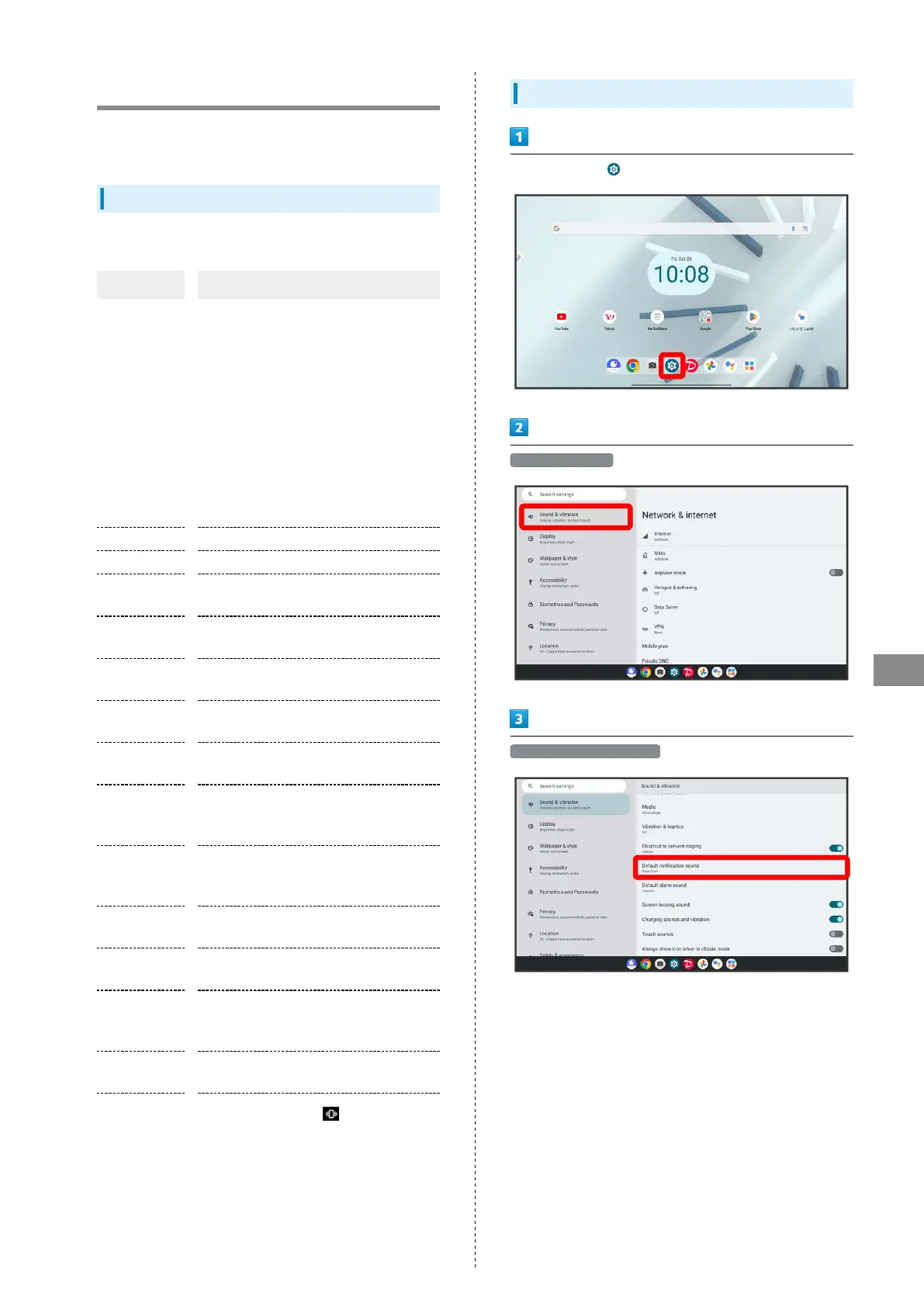
Setting Notifications
In Home Screen, (Settings)
Sound & vibration
Default notification sound



 To Next Page