30
Text Entry
Keyboards
Use onscreen keyboards for text entry.
・
To hide keyboard, Tap .
Setting Keyboard to Use
In a text entry window, Languages English
(US) Select keyboard Done
・Set several keyboards.
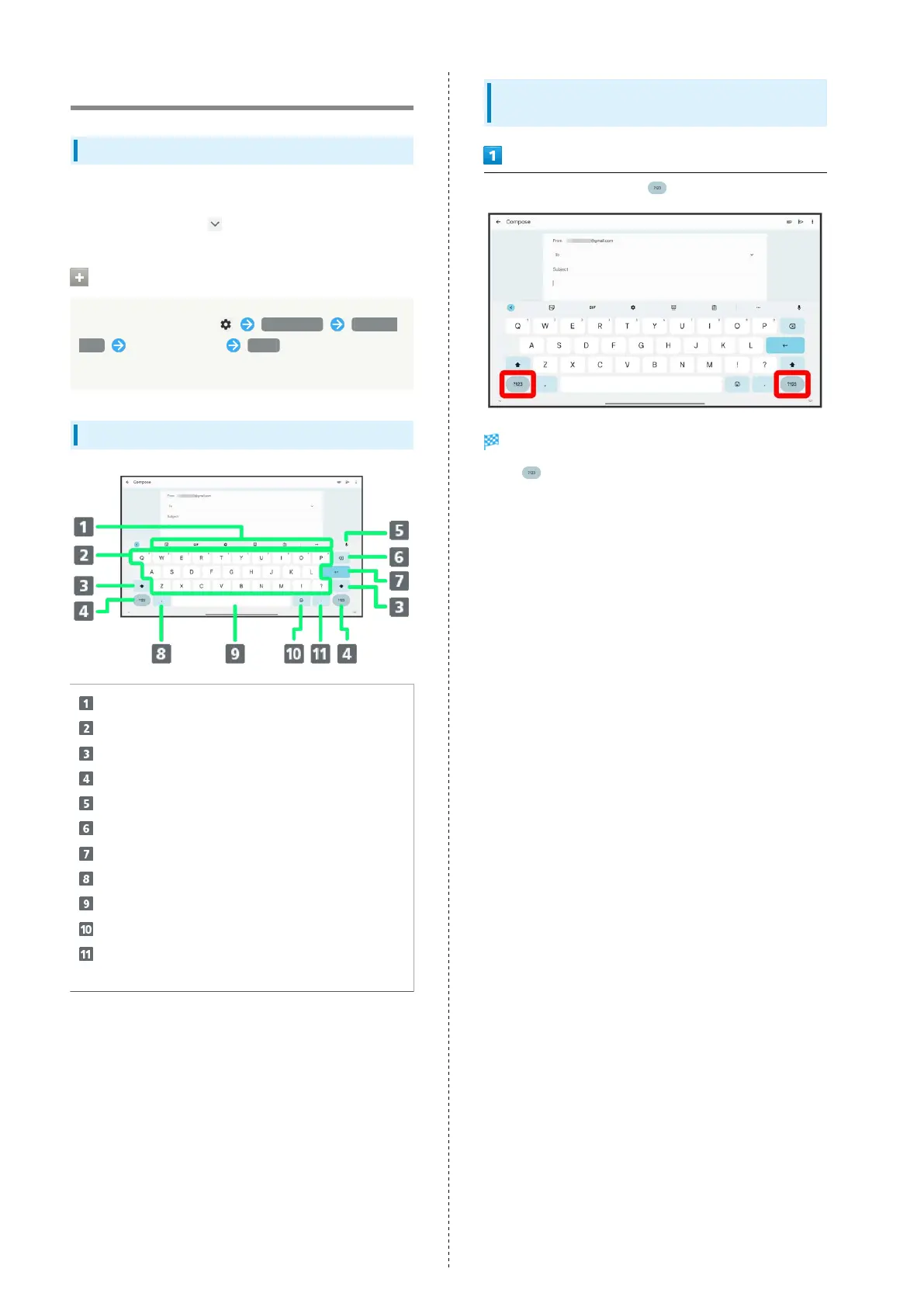
QWERTY Keyboard Layout
Toolbar
Enter characters
Toggle case
Switch to number/symbol keyboard
Use voice input
Delete characters
Insert line break
Enter comma
Enter space
Switch to emoji/emoticon keyboard
Enter period. Touch & Hold for a set of other
punctuation marks and symbols
Switching Character Types (Entry
Modes)
In a text entry window, Tap
Entry mode switches.
・
Tap to cycle through "alphabet"→"numbers".



 To Next Page