73
Tablet Settings
Lenovo TAB7
Display Settings
Make settings for Display brightness, Wallpaper, etc.
Display Settings
Settable items are the following.
Item Description
Brightness
level
Set brightness of Display.
Adaptive
brightness
Enable adjustment of brightness for
surroundings.
Lock screen
Control how notifications show on lock
screen.
Screen
timeout
Set a period of inactivity after which
Display turns off automatically.
Dark theme
Turn on or off Dark Theme and customize
Schedule.
Display size
and text
Set the size of text, images, icons, etc. in
Display.
Night Light Set whether Display blue light is reduced.
Reading mode
Set whether to enable Reading mode and
make effects settings.
Color mode
Set colors on Display and make color
temperature settings.
Auto-rotate
screen
Set whether to rotate Display with tablet
orientation automatically.
Screen saver Set screensaver.
Lift to wake
Set whether lifting tablet wakes tablet
from sleep while screen is turned off
(screen lock).
Double Tap to
Wake
Set whether Double Tapping wakes tablet
from sleep while screen is turned off
(screen lock).
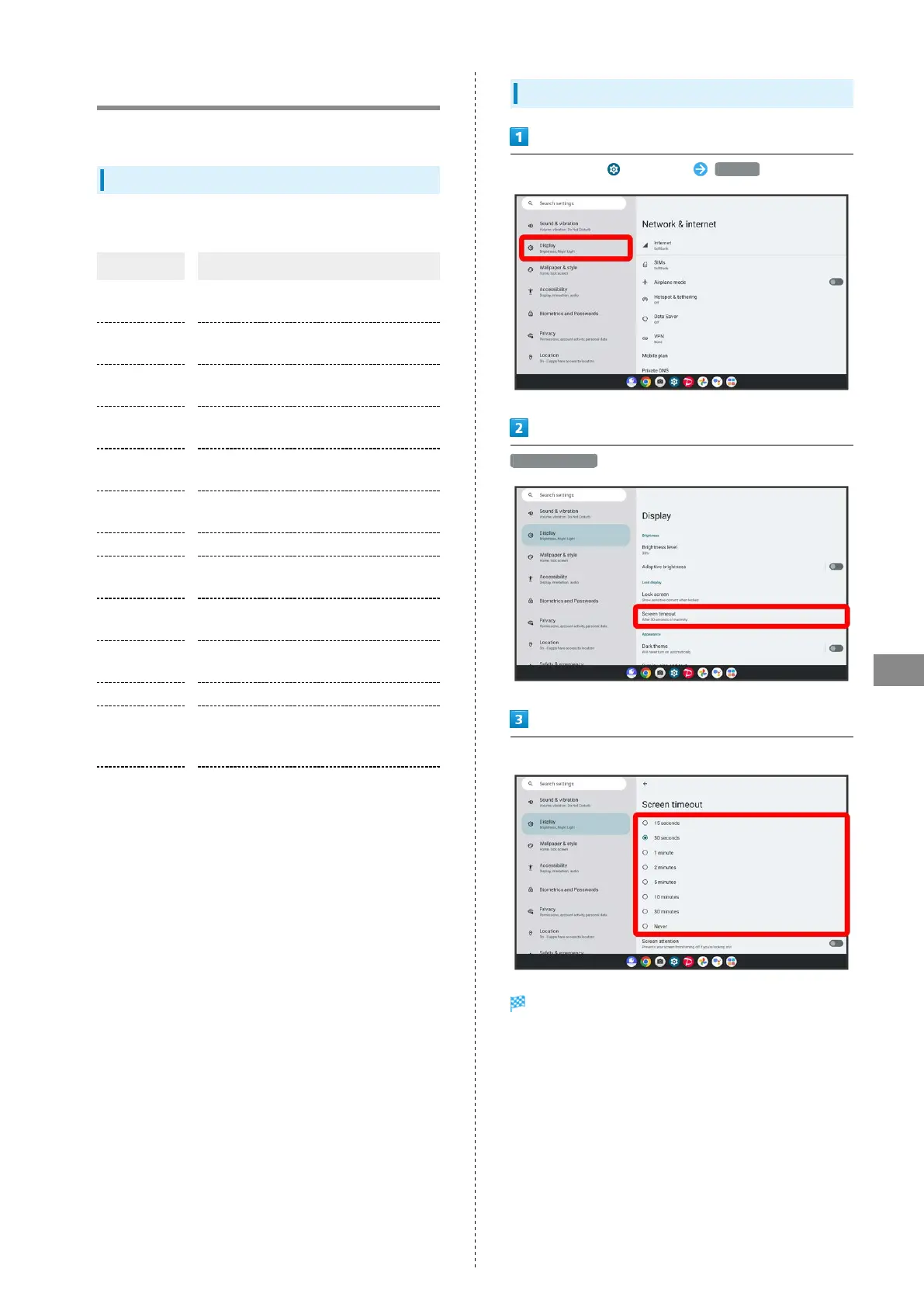
Setting Display Timeout
In Home Screen, (Settings) Display
Screen timeout
Select time
Set time until Display goes out.



 To Next Page