10
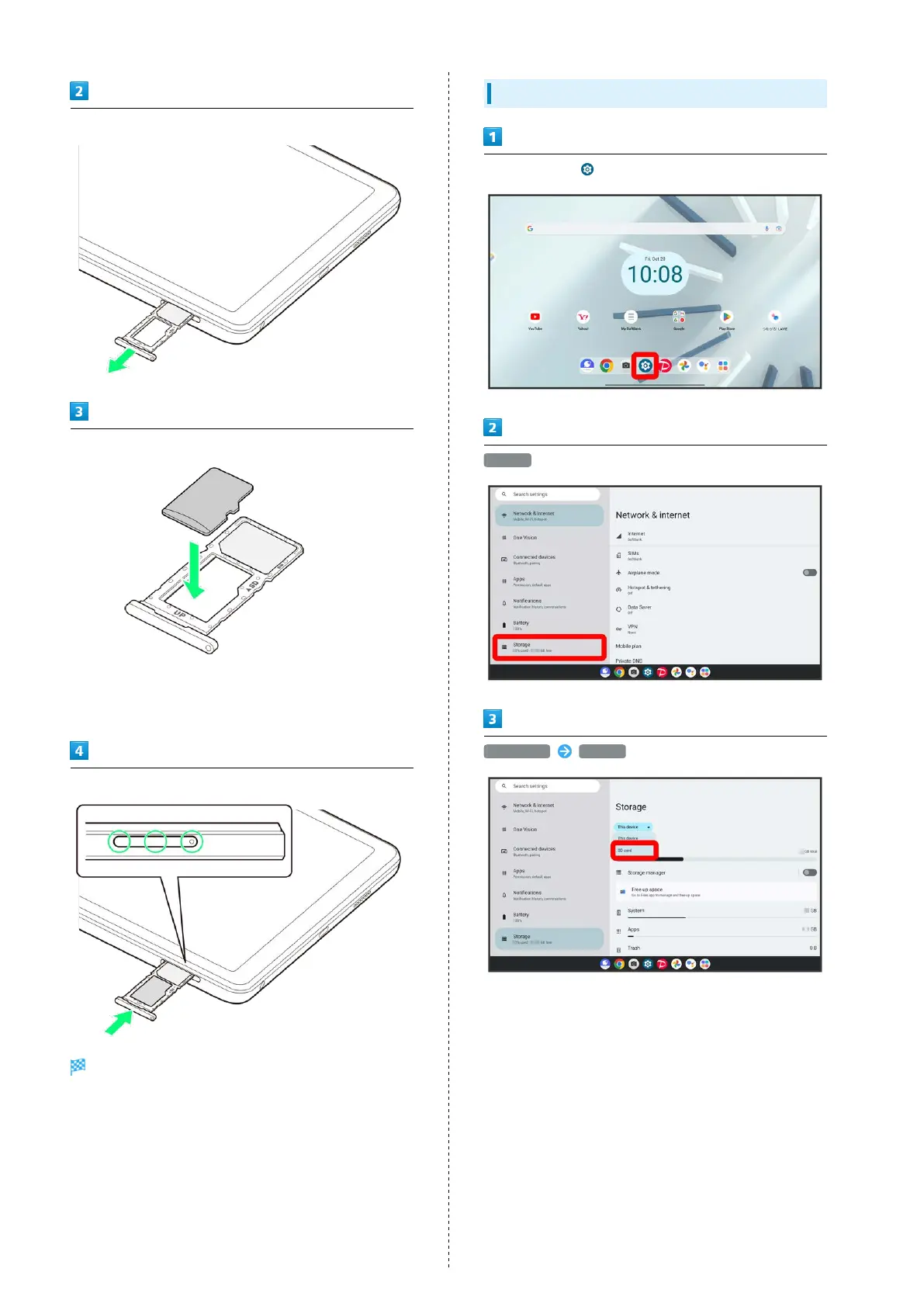
Pull USIM/SD Card Tray straight out
Set SD Card in USIM/SD Card Tray
・Place gently, noting orientation of SD Card (metal terminal
side facing down).
・Make sure SD Card is in USIM/SD Card Tray securely.
Insert USIM/SD Card Tray straight in USIM/SD Card Slot
SD Card is inserted.
・Press firmly where circled ○, and make sure there is no gap
between tablet and USIM/SD Card Tray.
Formatting SD Card
In Home Screen, (Settings)
Storage
This device SD card



 To Next Page