13
Getting Started
Lenovo TAB7
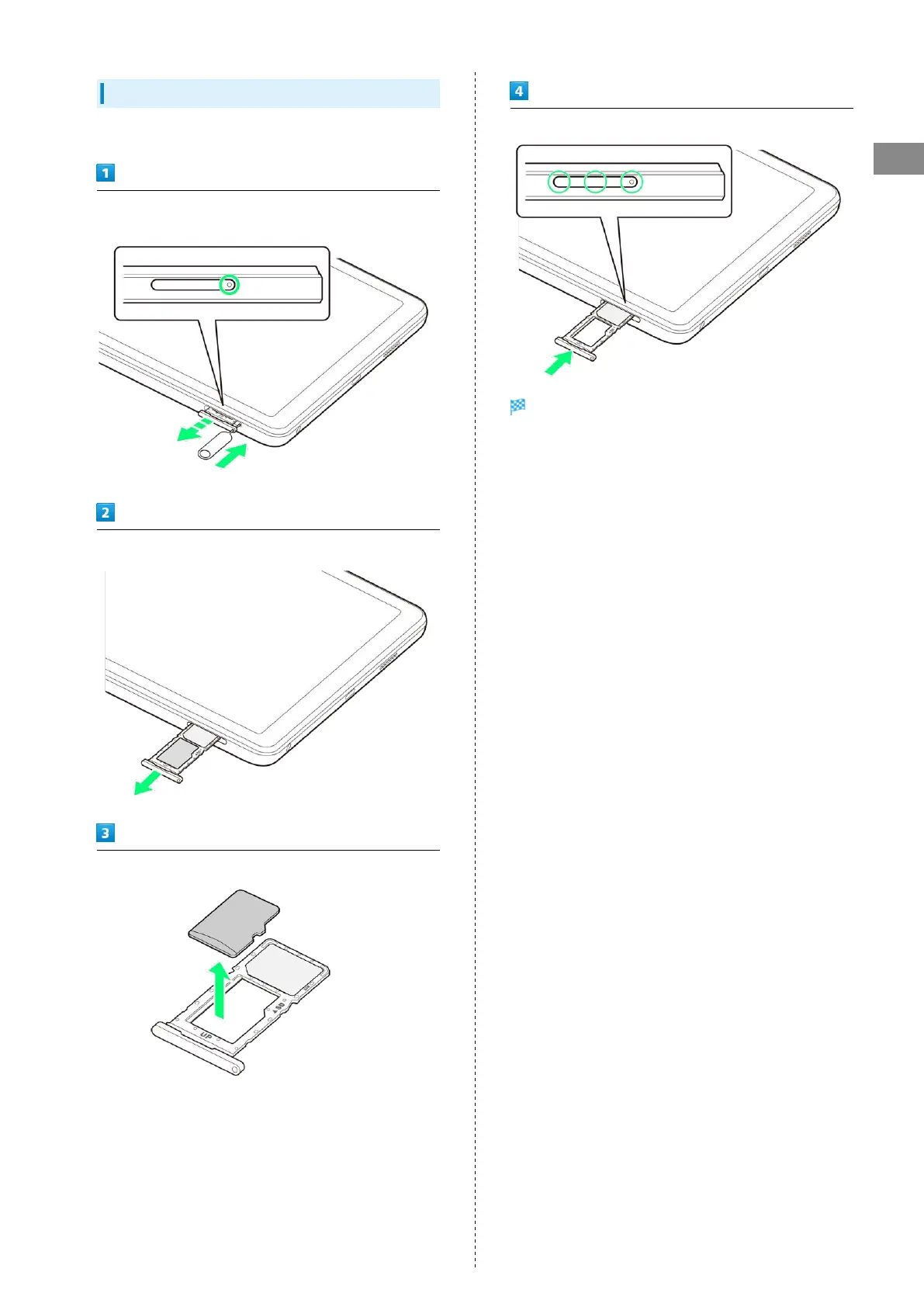
Removing SD Card
Always unmount SD Card and power off first.
Insert USIM/SD Card Removal Tool (complimentary sample)
straight in hole in USIM/SD Card Tray
Pull USIM/SD Card Tray straight out
Remove SD Card from USIM/SD Card Tray
Insert USIM/SD Card Tray straight in USIM/SD Card Slot
SD Card is removed.
・Press firmly where circled ○, and make sure there is no gap
between tablet and USIM/SD Card Tray.


 To Next Page