88
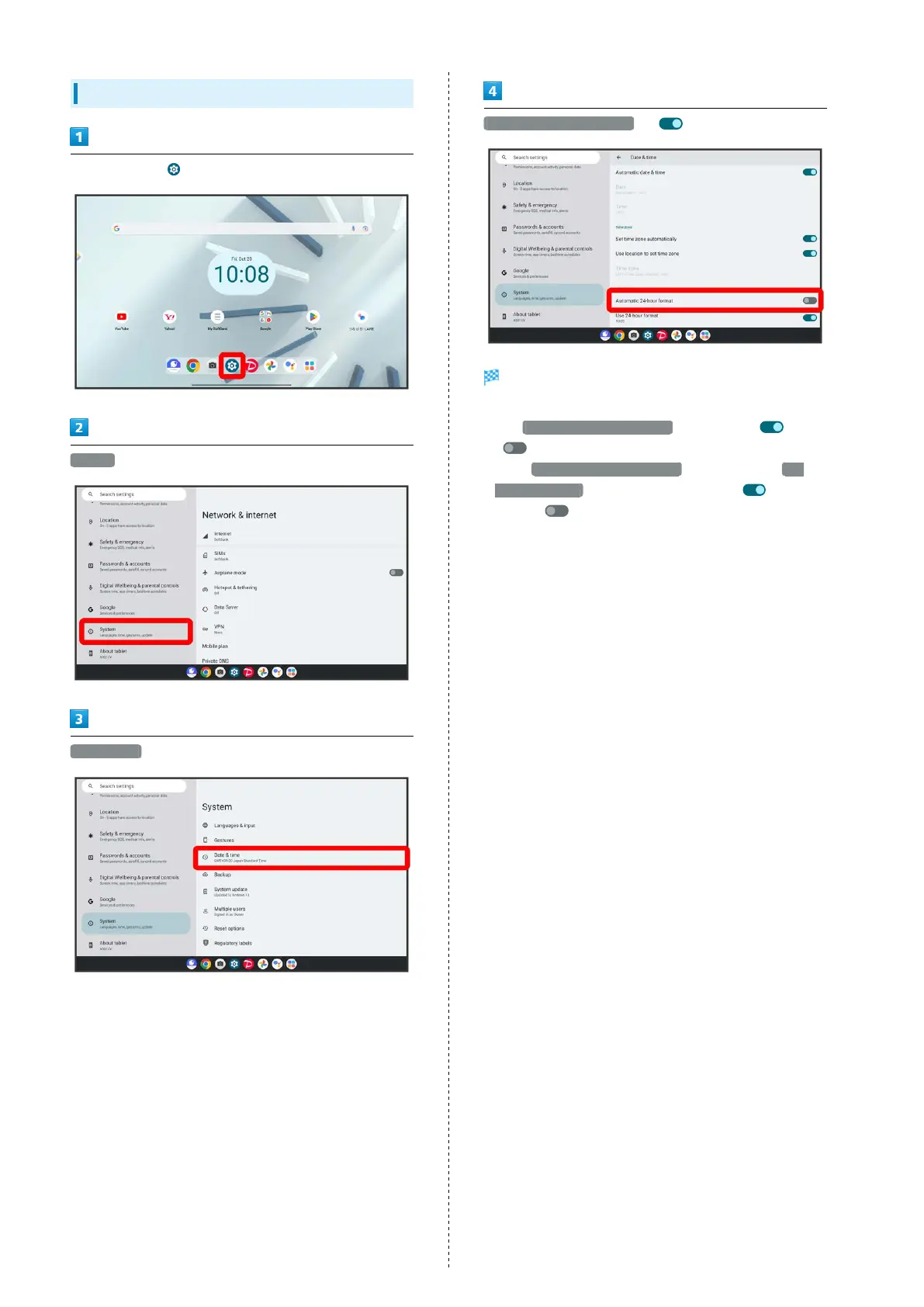
Setting 24-Hour Time Indication
In Home Screen, (Settings)
System
Date & time
Automatic 24-hour format ( )
24-hour or 12-hour format is automatically set depending
on your language and region.
・
Tap Automatic 24-hour format to toggle on ( )/off
( ).
・
When Automatic 24-hour format is disabled, Tap Use
24-hour format to toggle 24-hour format ( )/12-hour
format ( ).



 To Next Page