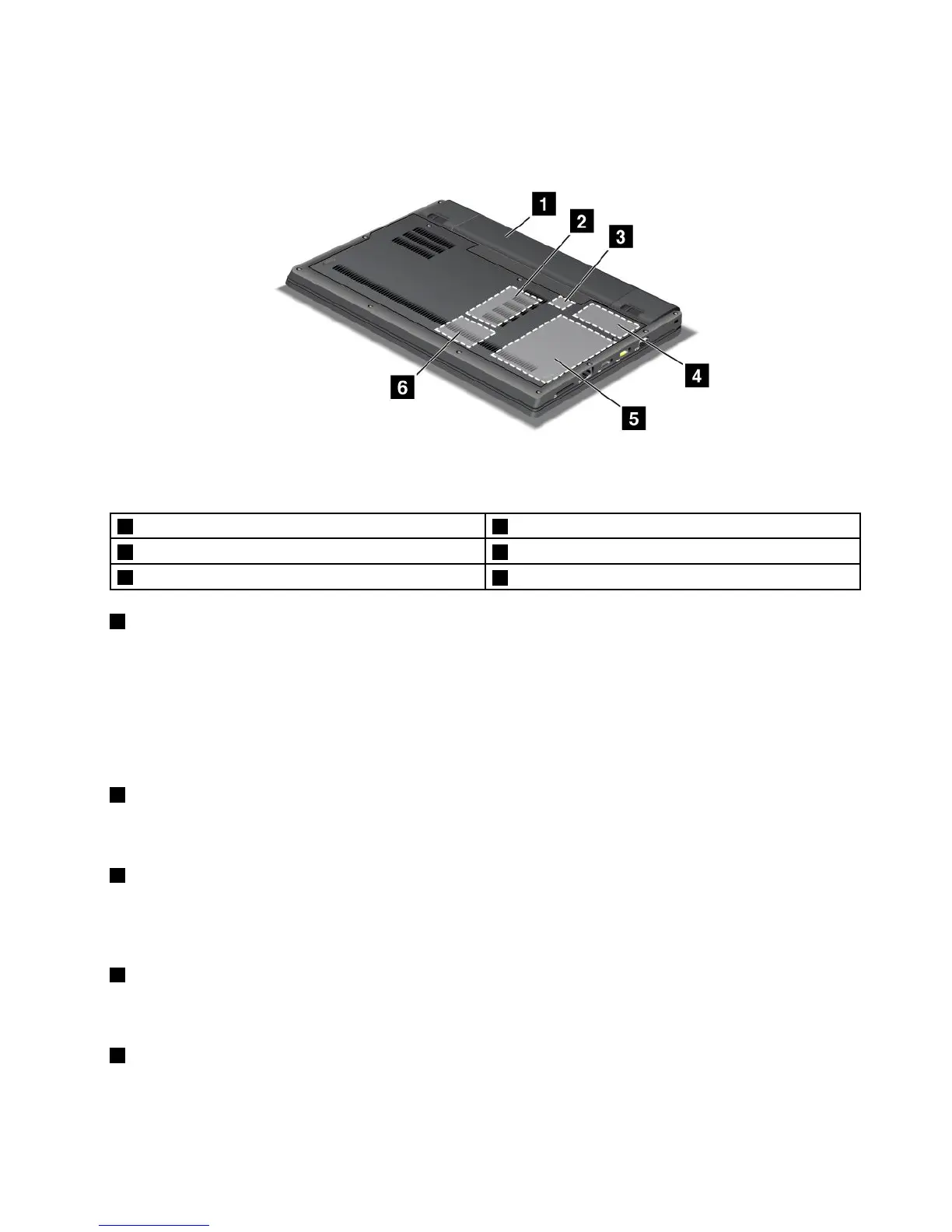
Bottomview
Figure4.Bottomview
1Battery2Memory-upgradeslot
3SIMcardslot4PCIExpressMiniCardslotforwirelessWAN
5Harddiskdrive
6PCIExpressMiniCardslotforwirelessLAN/WiMAX
1Battery
Useyourcomputerwithbatterypowerwheneveracpowerisunavailable.
Byinstallinganextendedlifebatteryavailableasanoptionyoucanextendtheoperatingtimeofthe
computer.
YoucanalsousePowerManagertoadjustyourpowersettingasneeded.Fordetails,refertotheinstructions
in“PowerManager”onpage17.
2Memory-upgradeslot
Youcanincreasetheamountofmemoryinyourcomputerbyinstallingamemorymoduleinthememory
slot.Memorymodulesareavailableasoptions.
3SIMcardslot
IfyourcomputerhasawirelessWANfeature,itmightrequireaSIM(SubscriberIdenticationModule)card
toestablishawirelessWAN(WideAreaNetwork)connection.Dependingonthecountryofdelivery,theSIM
cardmightbealreadyinstalledintheSIMcardslot.
4PCIExpressMiniCardslotforwirelessWAN
YourcomputermightincludeaPCIExpressMiniCardforwirelessWANinthePCIExpressMiniCard
slotforwirelessWANcommunications.
5Harddiskdrive
Yourcomputermighthavealarge-capacity,customer-upgradableharddiskdrivethatcanmeetavarietyof
storagedemands.Tokeepthedrivesafe,ActiveProtectionSystem™isinstalledonyourcomputer.For
details,referto“ActiveProtectionSystem”onpage16
.
Chapter1.ProductOverview7













 To Next Page