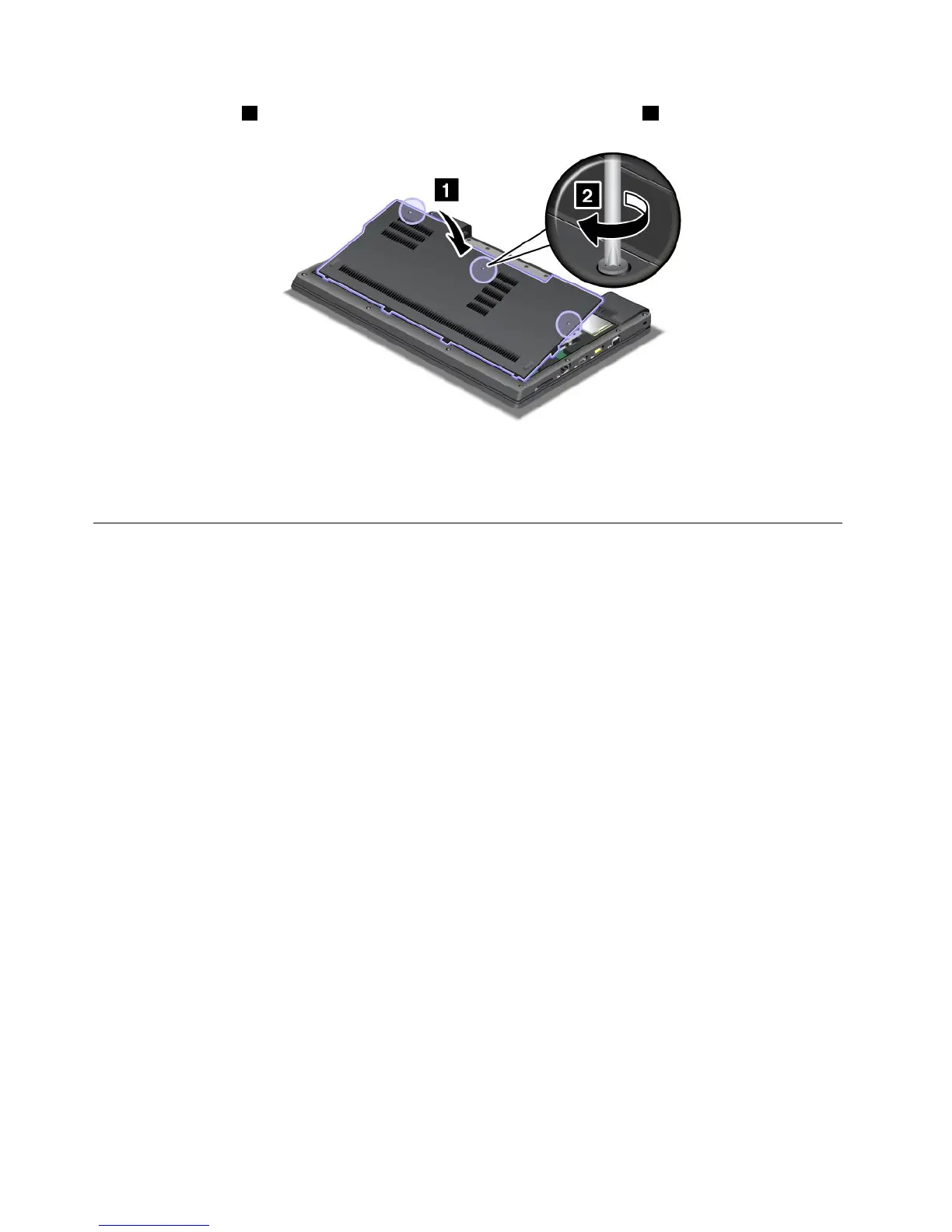
9.Attachthecover1,pivotitdownwards,andthentightenthethreescrews2.
10.Reinstallthebattery.Formoreinformationabouthowtoreinstallthebattery,referto“Replacingthe
battery”onpage67
.
11.Turnthecomputeroveragain.Connecttheacpoweradapterandcablestothecomputer;thenturniton.
ReplacingthemSATAsolidstatedrive
SomeThinkPadmodelshaveanmSATAsolidstatedrive.YoucanreplacethemSATAsolidstatedrivewitha
newonewhichcanbepurchasedfromyourLenovoreselleroramarketingrepresentative.Toreplacethe
mSATAsolidstatedrive,readthefollowingprerequisites.
Notes:
•YoucanalsoreplacethemSATAsolidstatedrivewithaWirelessPCIExpressMiniCardforWirelessWAN.
•ReplacethemSATAsolidstatedriveonlyifyouneedtohaveitrepaired.
Prerequisitesfortheprocedure
Whenreplacingthedrive,besuretofollowtheprecautions.
Attention:HandlinganmSATAsolidstatedrive
•Donotdropthedriveorsubjectittophysicalshocks.Putthedriveonamaterial,suchassoftcloth,that
absorbsanyphysicalshocks.
•Donotapplypressuretothecoverofthedrive.
Thedriveisverysensitive.Incorrecthandlingcancausedamageandpermanentlossofdata.
BeforeremovingthemSATAsolidstatedrive,makeabackupcopyofalltheinformationonit,andthen
turnthecomputeroff.
Neverremovethedrivewhilethesystemisoperating,insleep(standby)mode,orinhibernationmode.
Beforeyoustart,printtheseinstructions.
IfanmSATAsolidstatedriveisavailableinyourcomputer,toreplacethemSATAsolidstatedrive,do
thefollowing:
72UserGuide













 To Next Page