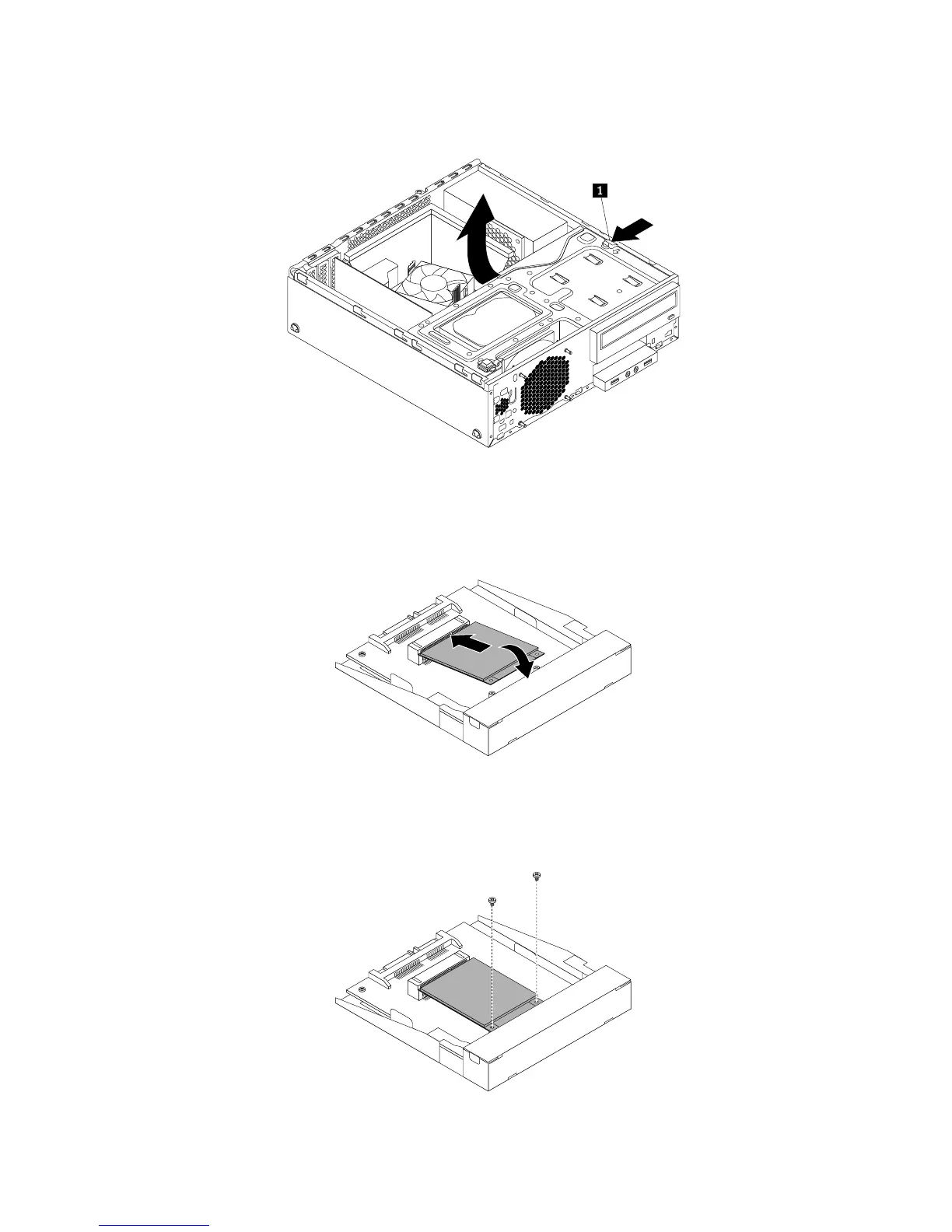
5.Presstheblueretainingcliptopivotthedrivebayassemblyupward.
Figure30.Pivotingthedrivebayassemblyupward
6.InsertthemSATAsolid-statedriveintotheminiPCIExpressslotonthestorageconverter,andthen
pressthemSATAsolid-statedrivedownward.
Figure31.InstallingthemSATAsolidstatedriveintothestorageconverter
7.InstallthetwoscrewstosecurethemSATAsolid-statedrivetothestorageconverter.
Figure32.InstallingthescrewsthatsecurethemSATAsolidstatedrive
46ThinkStationE32UserGuide











 To Next Page