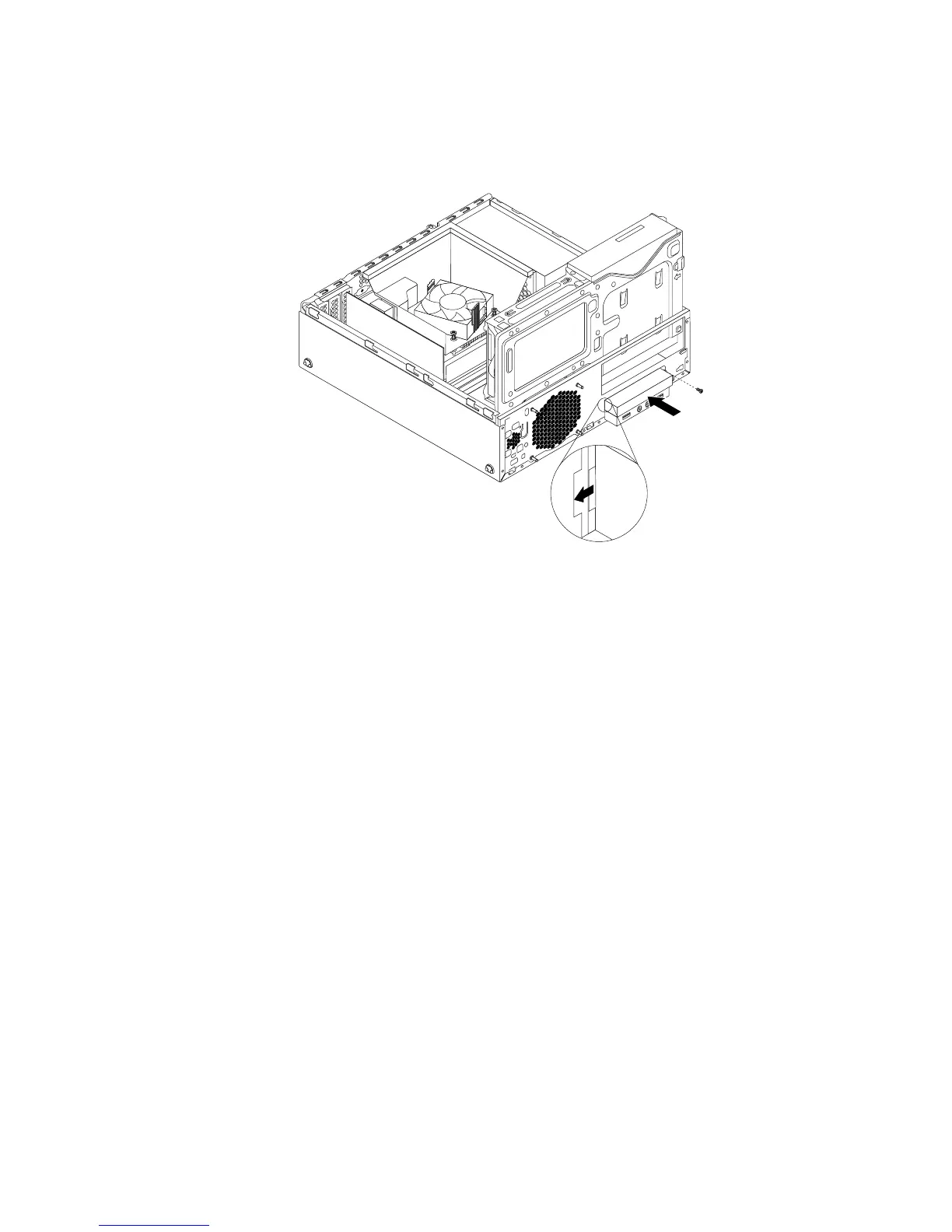
8.InsertthemSATAsolid-statedrivestorageconvertertothechassisandpushtheconvertertotheleftto
alignthescrewholeintheconverterwiththecorrespondingholeinthechassis.Theninstallthescrew
tosecurethemSATAsolid-statedrivestorageconvertertothechassis.
Figure33.InstallingthemSATAsolid-statedrive
9.ConnectthesignalcableandthepowercabletothemSATAsolid-statedrive.
Whattodonext:
•Toworkwithanotherpieceofhardware,gototheappropriatesection.
•Tocompletetheinstallationorreplacement,goto“Completingthepartsreplacement”onpage93
.
ReplacingthemSATAsolid-statedrive
ToreplacethemSATAsolid-statedrive,dothefollowing:
1.Removeallmediafromthedrivesandturnoffallattacheddevicesandthecomputer.Then,disconnect
allpowercordsfromelectricaloutletsanddisconnectallcablesthatareconnectedtothecomputer.
2.Removethecomputercover.See“Removingthecomputercover”onpage32.
3.Removethefrontbezel.See“Removingandreinstallingthefrontbezel”onpage32.
4.Locatethecardreaderdrivebay.See“Locatinginternaldrives”onpage13.
Chapter5.Installingorreplacinghardware47











 To Next Page