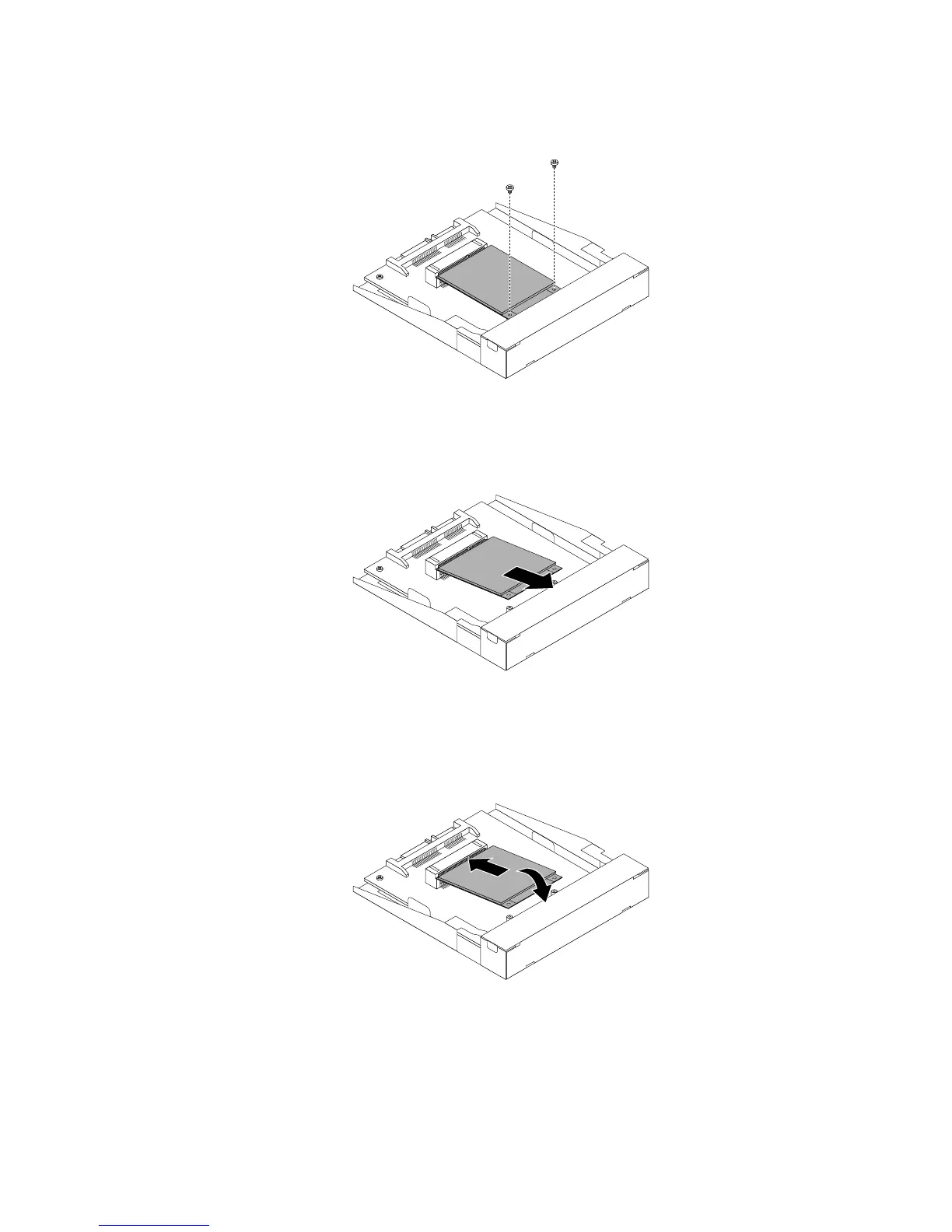
9.RemovethetwoscrewsthatsecurethemSATAsolid-statedrivefromthestorageconverter.
Figure36.RemovingthescrewsthatsecurethemSATAsolidstatedrive
10.RemovethemSATAsolid-statedrivefromtheminiPCIExpressslotonthestorageconverter.
Figure37.RemovingthemSATAsolidstatedrive
11.ToinstallanewmSATAsolid-statedrive,insertthemSATAsolid-statedriveintotheminiPCIExpress
slotonthestorageconverter,andthenpressthemSATAsolid-statedrivedownward.
Figure38.InstallingthemSATAsolidstatedriveintothestorageconverter
Chapter5.Installingorreplacinghardware49











 To Next Page