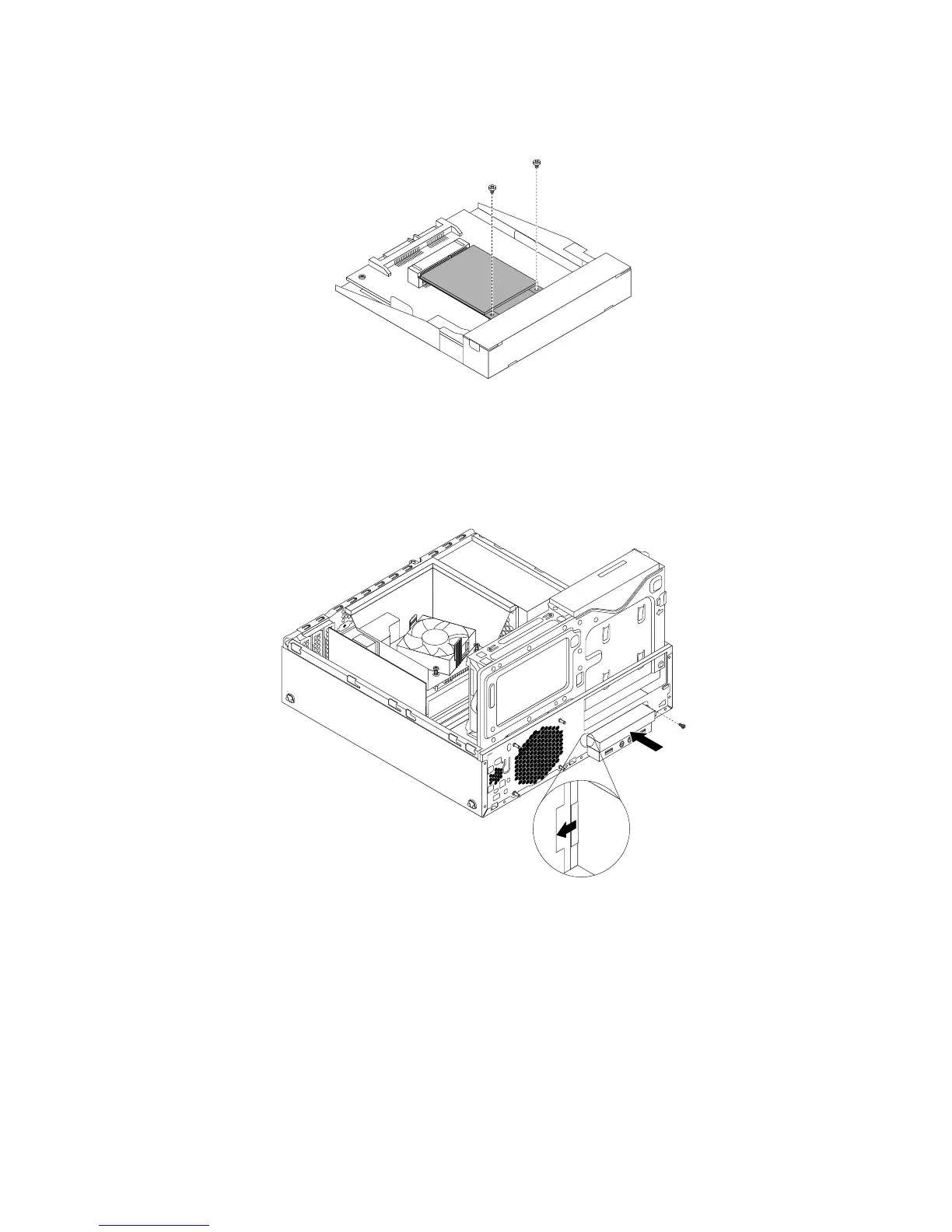
12.InstallthetwoscrewstosecurethemSATAsolid-statedrivetothestorageconverter.
Figure39.InstallingthescrewsthatsecurethemSATAsolidstatedrive
13.InsertthemSATAsolid-statedrivestorageconvertertothechassisandpushtheconvertertotheleftto
alignthescrewholeintheconverterwiththecorrespondingholeinthechassis.Theninstallthescrew
tosecurethemSATAsolid-statedrivestorageconvertertothechassis.
Figure40.InstallingthemSATAsolid-statedrive
14.ConnectthesignalcableandthepowercabletothemSATAsolid-statedrive.
Whattodonext:
•Toworkwithanotherpieceofhardware,gototheappropriatesection.
•Tocompletetheinstallationorreplacement,goto“Completingthepartsreplacement”onpage93
.
50ThinkStationE32UserGuide











 To Next Page