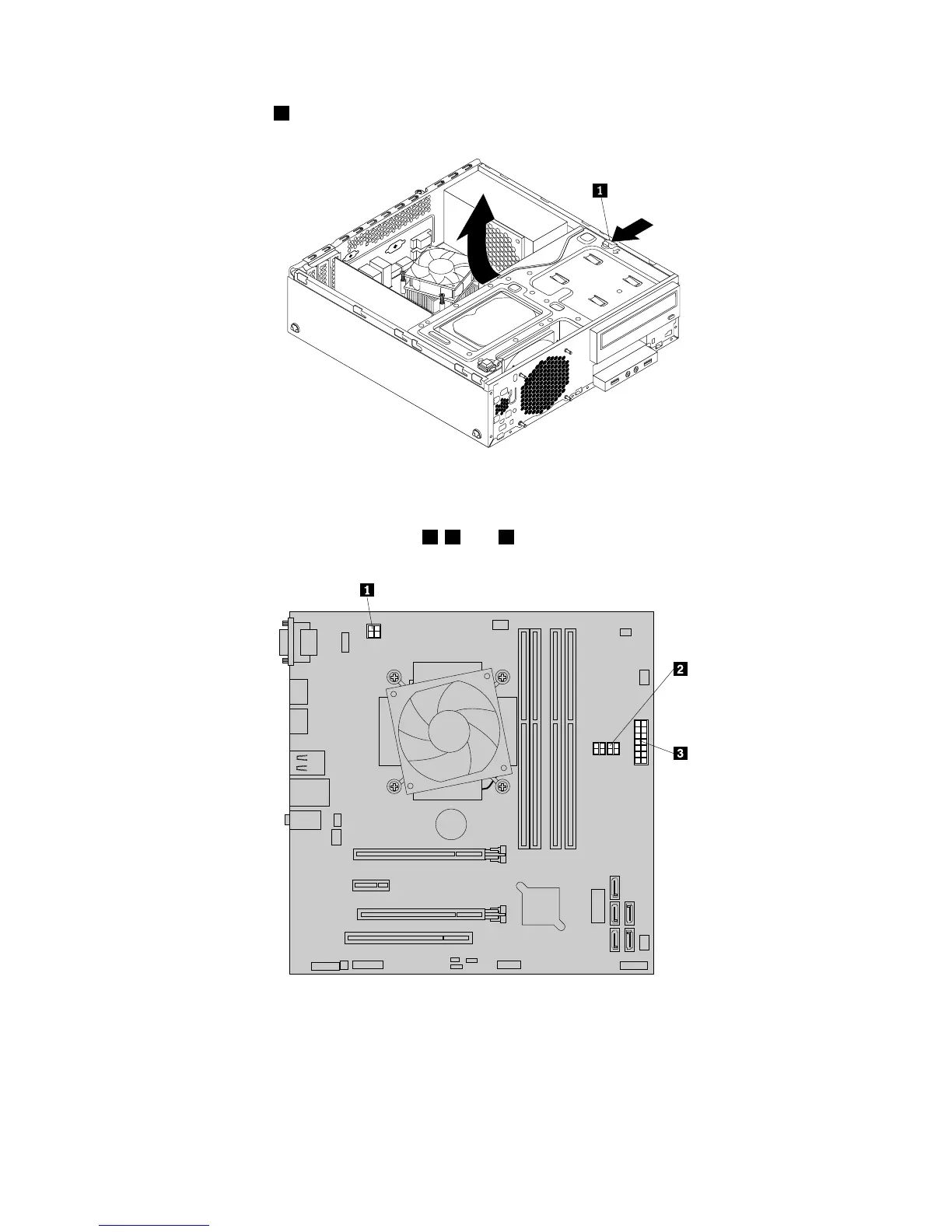
5.Pressthereleasetab1asshownandpivotthedrivebayassemblyupward.
Figure64.Pivotingthedrivebayassemblyupward
6.Recordthecableroutingandcableconnections.Then,disconnectthepowersupplyassemblycables
fromalldrivesandfrompowerconnectors1,2,and3onthesystemboard.
Figure65.Powerconnectorsonthesystemboard
7.Releasethepowersupplyassemblycablesfromanycableclipsortiesthatsecurethecablestothe
chassis.
66ThinkStationE32UserGuide











 To Next Page