11.Connectthenewpowersupplyassemblycablestoalldrivesandthesystemboard.See“Locating
partsonthesystemboard”onpage12.
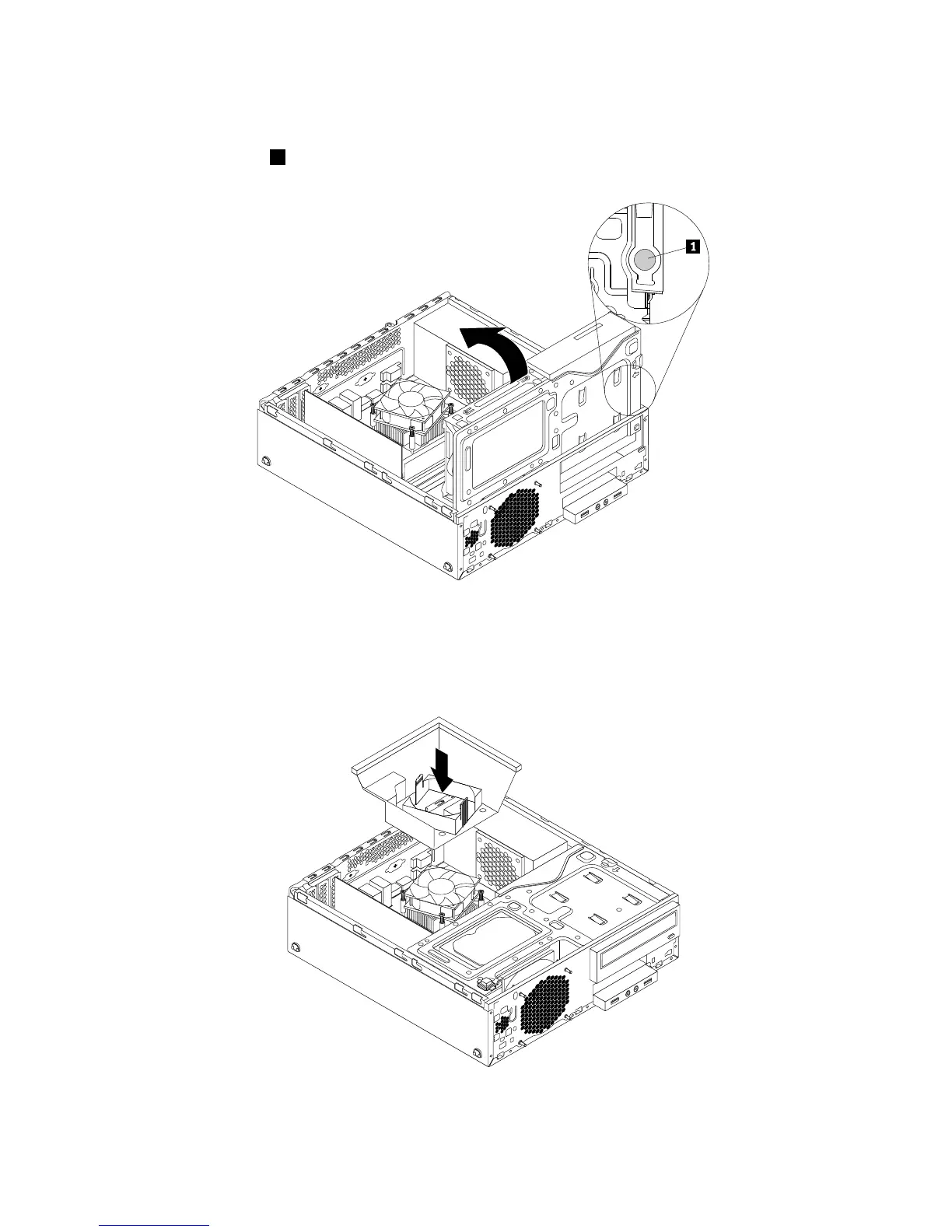
12.Pressthereleasetab1asshownandpivotthedrivebayassemblydownwarduntilitsnapsintoposition.
Figure68.Pivotingthedrivebayassemblydownward
13.Positiontheheatsinkfanductonthetopoftheheatsinkasshown.Then,presstheheatsinkfan
ductstraightdownuntilitsnapsintoposition.
Figure69.Installingtheheatsinkfanduct
68ThinkStationE32UserGuide











 To Next Page