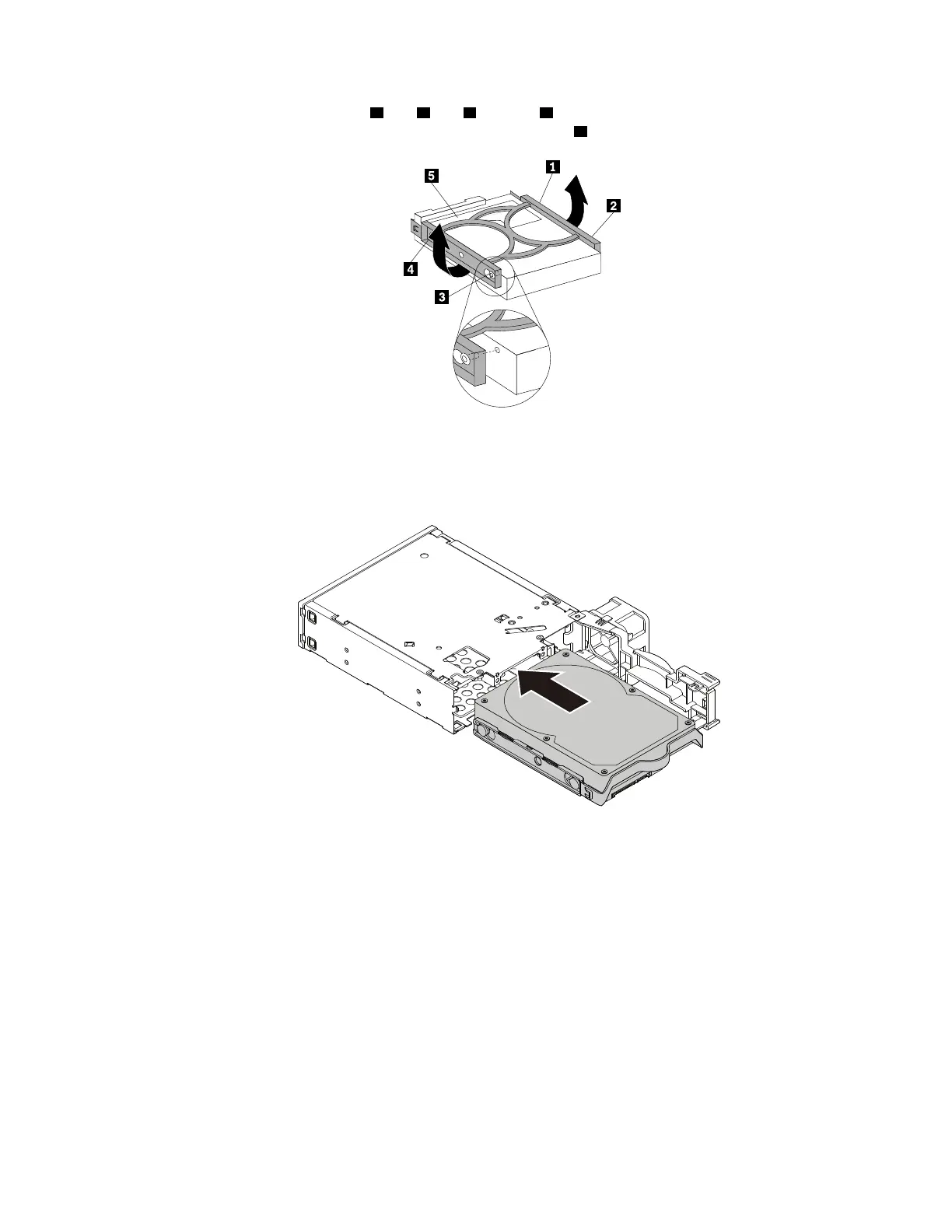
b. Flex the bracket and align pin 1 , pin 2 , pin 3 , and pin 4 on the bracket with the corresponding holes
in the 3.5-inch storage drive. Do not touch the circuit board
5 on the 3.5-inch storage drive.
Figure 71. Installing the 3.5-inch storage drive into the bracket
c. Slide the new 3.5-inch storage drive into the enclosure from the rear until the drive snaps into
position.
Figure 72. Installing the 3.5-inch storage drive into the enclosure
Chapter 9. Hardware removal and installation 127














 To Next Page