2.5-inch storage drive
To remove or install a 2.5-inch storage drive with a 2.5-inch to 3.5-inch storage-drive converter (hereafter
referred to as storage-drive converter), do the following:
1. Prepare your computer. See “Preparing your computer” on page 98.
2. Locate the type-1 storage-drive cage. See “Computer components” on page 33.
3. To remove a 2.5-inch storage drive with a storage-drive converter in the type-1 storage-drive cage, do
the following:
a. Disconnect the signal cable and the power cable from the storage drive.
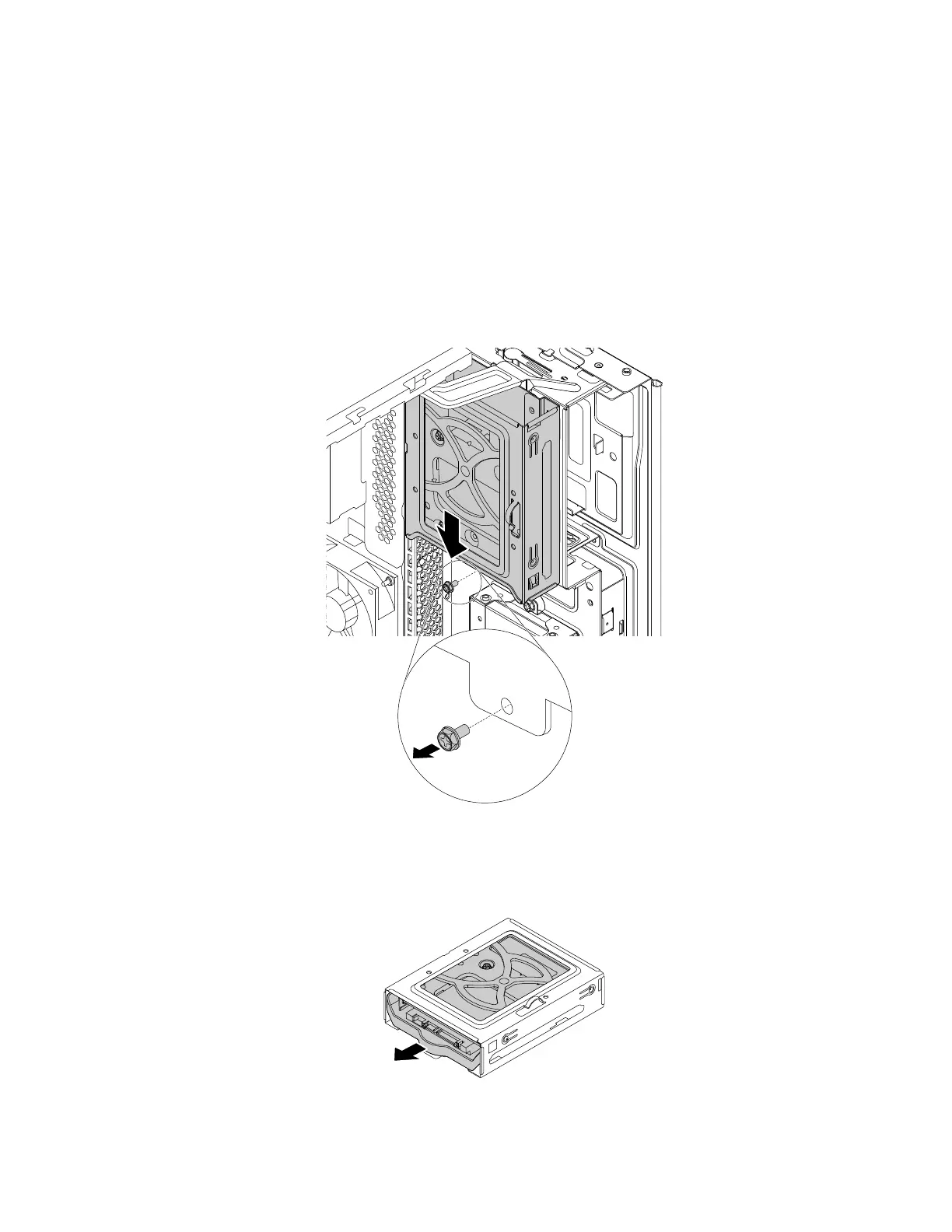
b. Remove the screw and slide the type-1 storage-drive cage downward to release it from the drive bay
assembly.
Figure 101. Removing the type-1 storage-drive cage
c. Pull the handle of the storage-drive bracket to remove the storage drive from the type-1 storage-
drive cage.
Figure 102. Removing the 2.5-inch storage drive
144 P330 Hardware Maintenance Manual














 To Next Page