LENVII
14 www.lenvii.net
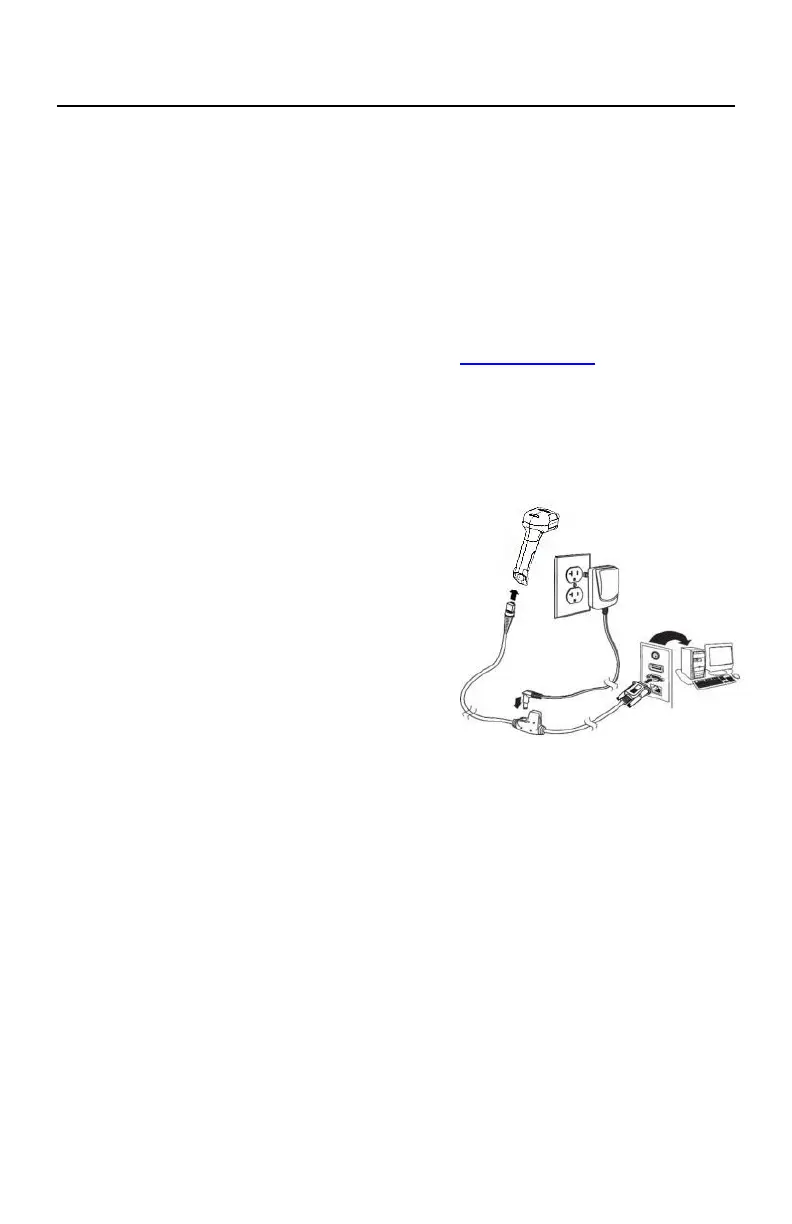
RS232 Connection
1.
Connect the device interface (RJ45 connector) of the RS-232
cable to the scanner.
2.
Connect the host interface (RS-232 interface) of the RS-232
cable to the host.
3.
The barcode scanner is humming.
4.
Verify the operation by scanning the Sample Symbols at the end of this
manual.
The interface is configured for 115,200 baud, 8 data bits, no parity and 1
stop bit.



 To Next Page