LENVII
43 www.lenvii.net
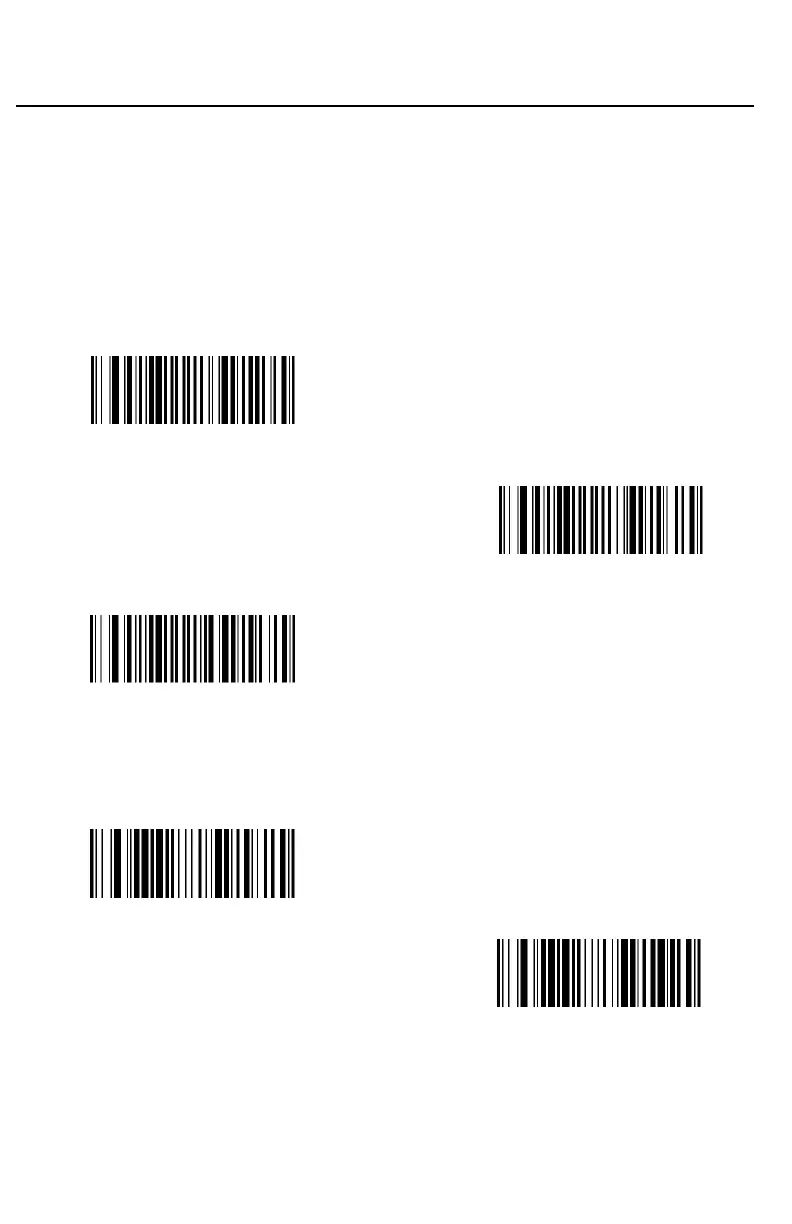
Check Character
No Check Character indicates that the scanner reads and transmits bar-
code data with or without a check character.
When Check Character is set to Validate, but Don’t Transmit, the unit
only reads Code 39 barcodes printed with a check character, but will not
transmit the check character with the scanned data.
When Check Character is set to Validate and Transmit, the scanner only
reads Code 39 barcodes printed with a check character, and will transmit
this character at the end of the scanned data. Default = No Check
Character.
(9010040.)
* No Check Character
(9010041.)
Validate, but Don’t Transmit
(9010042.)
Validate and Transmit
Message Length
Scan the barcodes below to change the message length. Refer to Message
Length Description for additional information. Minimum and Maximum lengths
= 0-48. Minimum Default = 0, Maximum Default = 48.
(901008.)
Minimum Message Length
(901007.)
Maximum Message Length



 To Next Page