LENVII
36 www.lenvii.net
All Symbologies
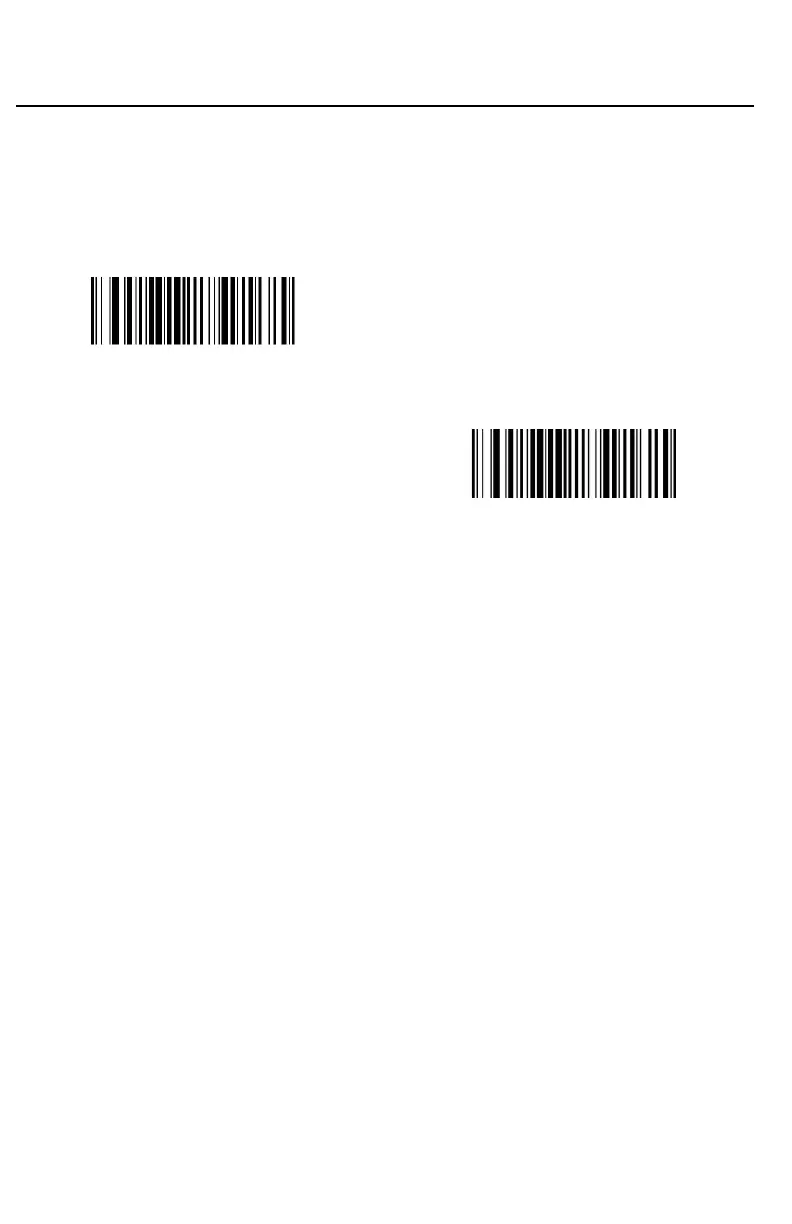
If you want to decode all the symbologies allowable for your scanner, scan
the All Symbologies On barcode. If on the other hand, you want to
decode only a particular symbology, scan All Symbologies Off followed
by the On barcode for that particular symbology.
(9990011.)
All Symbologies On
(9990010.)
All Symbologies Off
Note: When All Symbologies On is scanned, 2D Postal Codes are not enabled.
2D Postal Codes must be enabled separately.
Message Length Description
You are able to set the valid reading length of some of the barcode symbolo-
gies. If the data length of the scanned barcode doesn’t match the valid read-
ing length, the scanner will issue an error tone. You may wish to set the same
value for minimum and maximum length to force the scanner to read fixed
length barcode data. This helps reduce the chances of a misread.
EXAMPLE: Decode only those barcodes with a count of 6-10 characters.
Min. length = 06 Max. length = 10
Step 1. Select the barcode symbology to set the maximum reading length or
the minimum reading length, scan the Minimum Message Length
barcode in its catalog, and scan the number “6” and “Save” barcodes
from the Programming Chart .
Step 2. Scan the Maxmum Message Length barcode and scan the numbers
1, 0 barcode and Save barcode from the Programming Chart .
The above process sets the selected barcode symbology small
reading length to 6 and the maximum reading length to 10
EXAMPLE: Decode only those barcodes with a count of 13 characters.
Min. length = 13 Max. length = 13



 To Next Page