LENVII
78 www.lenvii.net
Check Characte
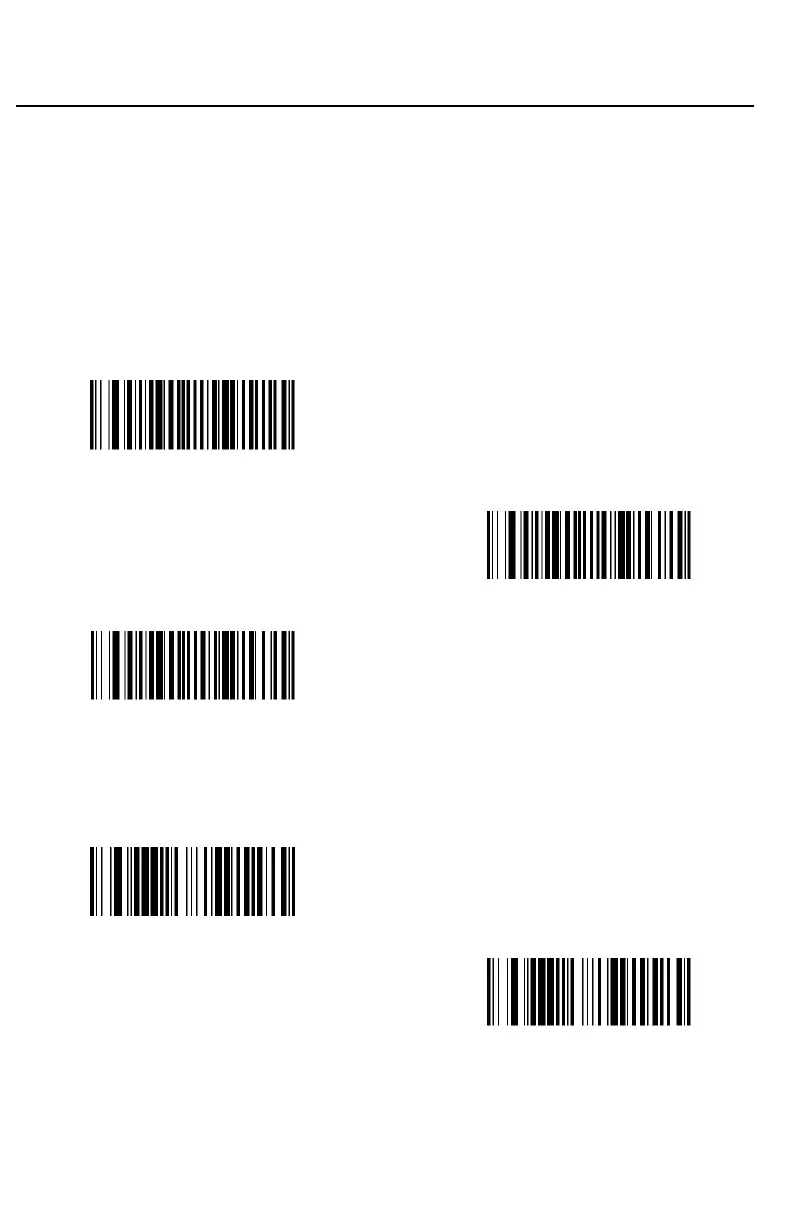
MSI barcodes use different types of check characters. You can configure
the barcode scanner to read the MSI barcode using the check character.
Default = Validate MOD 10, but Don’t Transmit
When Check Character is set to Validate MOD 10 and Transmit, the
scanner will only read MSI barcodes printed with the specified type check
character(s), and will transmit the character(s) at the end of the scanned
data.
When Check Character is set to Validate MOD 10, but Don’t Transmit,
the unit will only read MSI barcodes printed with the specified type check
character(s), but will not transmit the check character(s) with the scanned
data.
(9170020.)
* Validate MOD 10, but Don’t Transmit
(9170021.)
Validate MOD 10 and Transmit
(9170026.)
Disable MSI Check Characters
Message Length
Scan the barcodes below to change the message length. Refer to
Message Length Description for additional information. Minimum and
Maximum lengths = 4-48. Minimum Default = 4, Maximum Default = 48.
(917004.)
Minimum Message Length
(917003.)
Maximum Message Length



 To Next Page