Administrator’s capability
Fine-tuning for Best Performance
Best performance generally equates to the fastest image refresh rate with the
best video quality, and at the lowest network bandwidth as possible. The
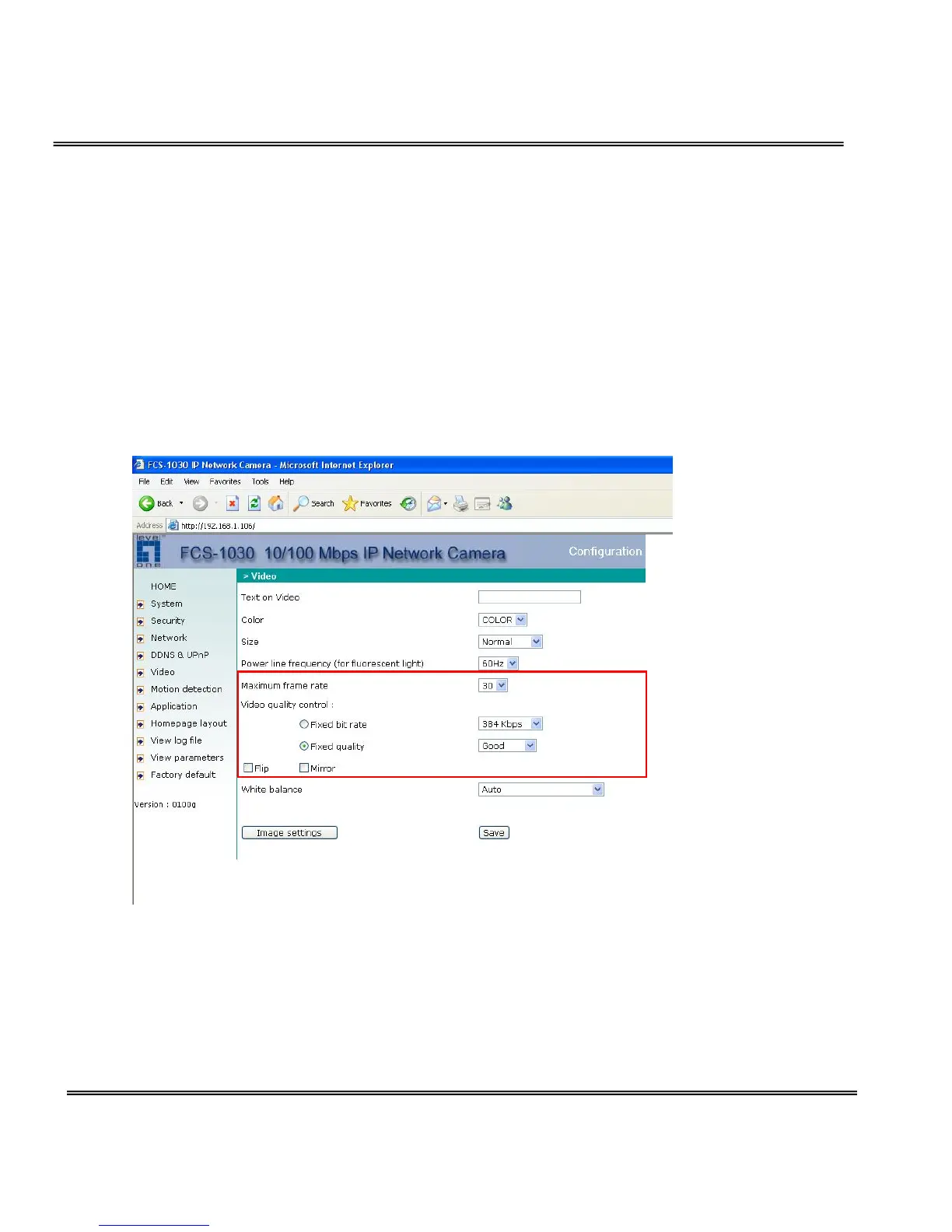
three factors, “Maximum frame rate”, “Fix bit rate”, and “Fix quality” on the
Video Configuration page, are correlative to allow for achieving the best
performance possible.
For Best Real-time Video Images
To achieve good real-time visual effect, the network bandwidth should be
large enough to allow a transmission rate of greater than 20 image frames
per second. If the broadband network is over 1 Mbps, set the “Fix bit rate” to
1000Kbps or 1200Kbps, and set “Fix quality” at the highest quality. The
maximum frame rate is 30. If your network bandwidth is more than 384Kbps,



 To Next Page