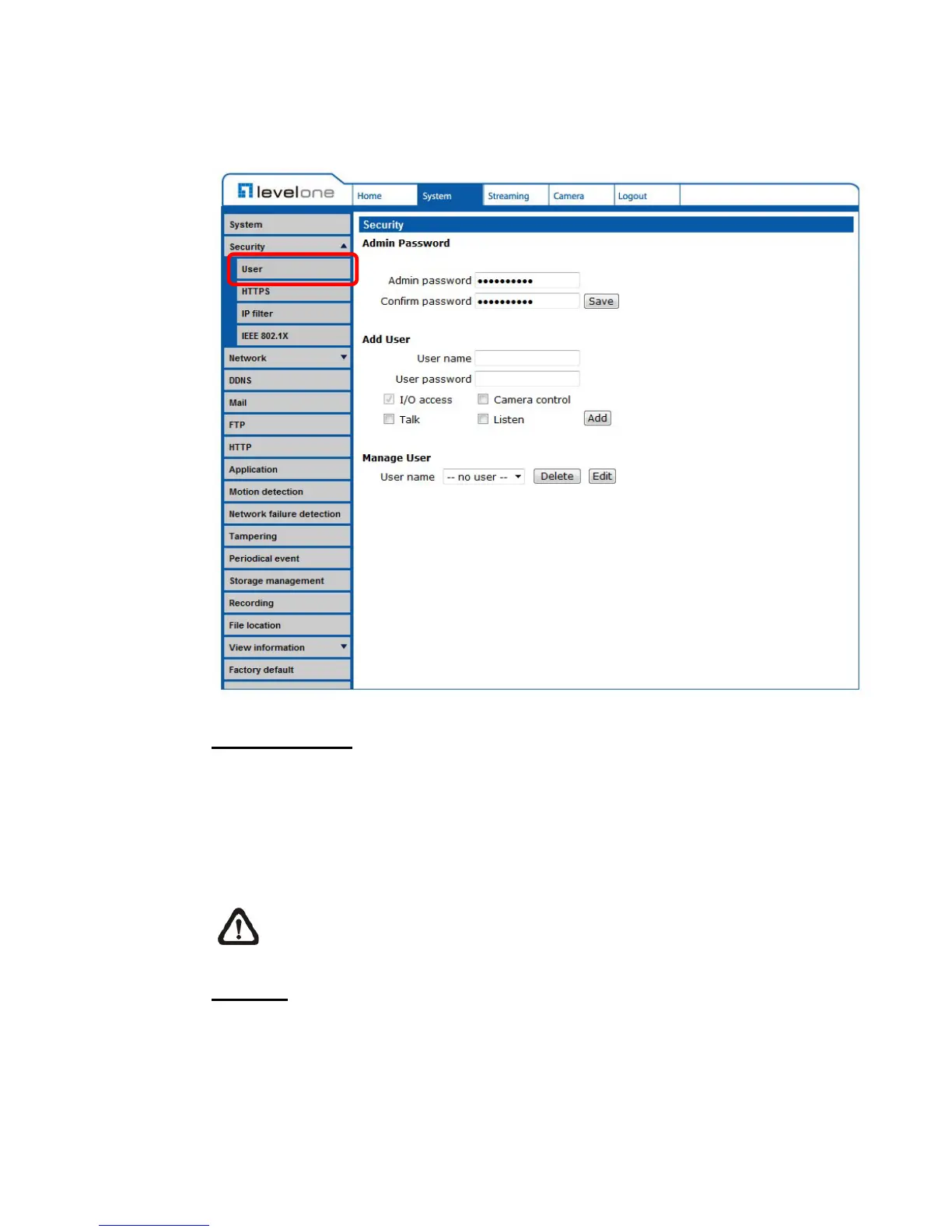
6.3.2.1 User
The User setting can be found under this path: System> Security> User.
Admin password
Change the administrator’s password by inputting the new password in “Admin
password” and “Confirm password” text boxes. The input characters/numbers
will be displayed as dots for security purposes. After clicking on <Save>, the
web browser will ask the Administrator for the new password for accessing. The
maximum length of the password is 14 characters.
NOTE: The following characters are valid: A-Z, a-z, 0-9, !#$%&’-.@^_~.
Add user
Type the new user's name and password and click <Add> to add the new user.
Both user name and password can be up to 16 characters. The new user will be
displayed in the user name list. There is a maximum of twenty user accounts.
Each user can be assigned the privileges of “Camera control”, “Talk” and
“Listen”.















 To Next Page