Click on <Create> button under “Create self-signed certificate” and provide the
requested information to install a self-signed certificate for the IP Camera.
Please refer to the last part of this section: Provide the Certificate Information
for more details.
NOTE: The self-signed certificate does not provide the same high level
of security as when using a CA-issued certificate.
Click on the <Create Certificate Request> button to create and submit a
certificate request in order to obtain a signed certificate from CA.
Install Signed Certificate
Provide the request information in the create dialog. Please refer to the
following Provide the Certificate Information for more details.
When the request is complete, the subject of the Created Request will be
shown in the field. Click on <Properties> below the Subject field, copy the
PEM-formatted request and send it to your selected CA.
When the signed certificate is returned, install it by uploading the signed
certificate.
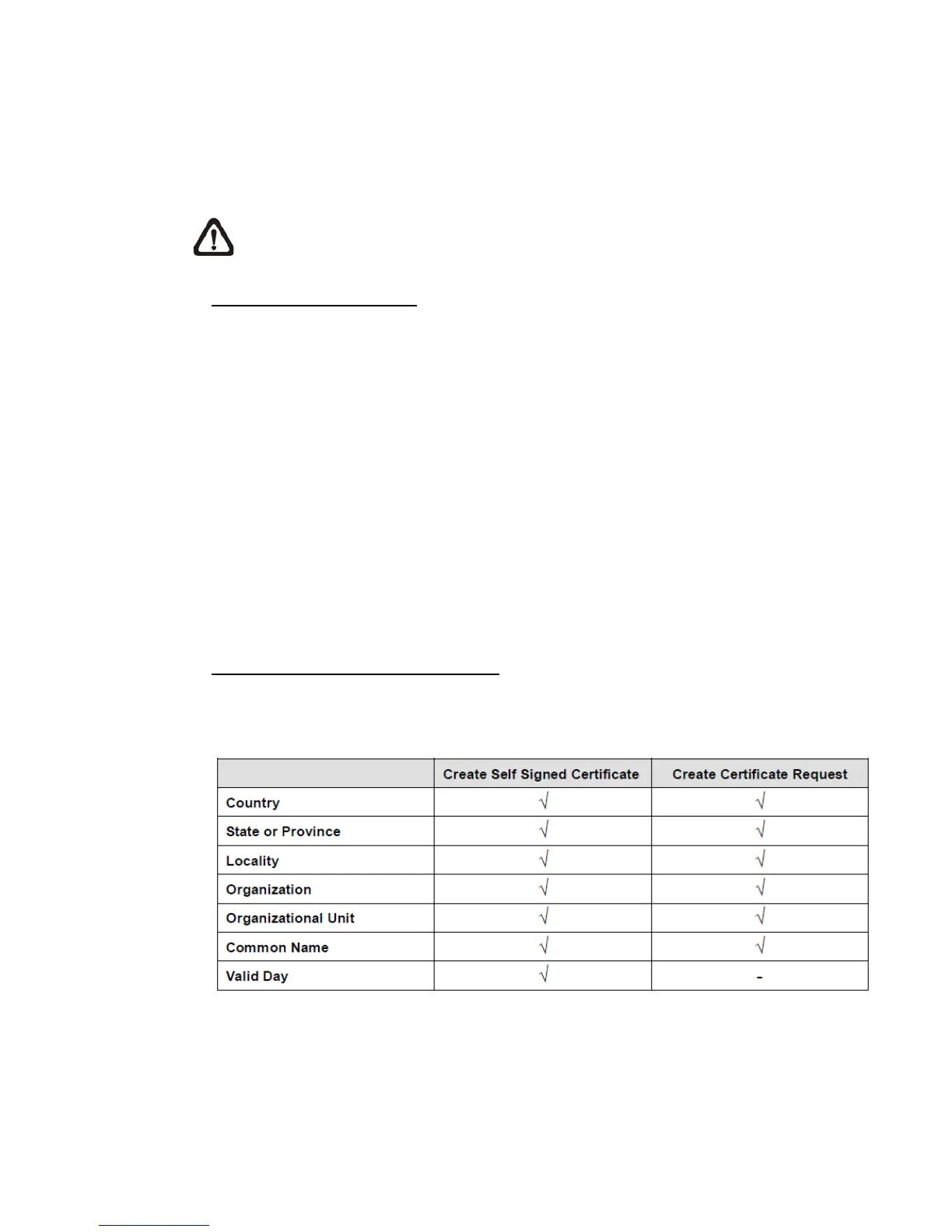
To create a Self-signed HTTPS Certificate or a Certificate Request to CA,
Provide the Certificate Information
please enter the information as requested:















 To Next Page