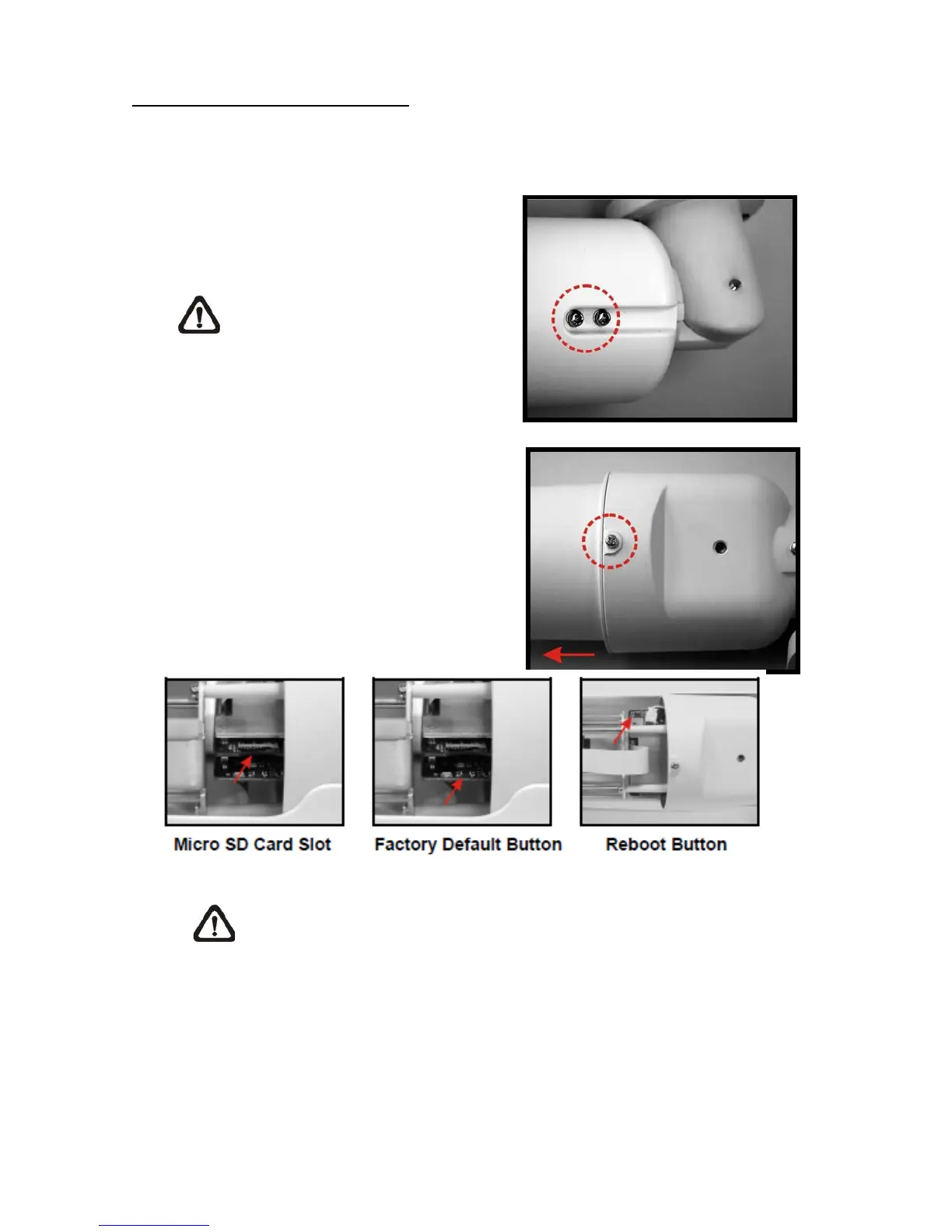
Micro SD Card Slot/ Reset Button
Follow the steps below to reach the Micro SD Card Slot, Reboot Button and Factory Default
Button on the IP Camera:
Step 1:
Unscrew two screws on the Sun
Shield to remove it.
NOTE: Please note that the
Sun Shield is optional.
Step 2:
Unscrew the screw on the Camera Housing and
remove the Front Housing.
NOTE: Before installing, please refer to Desiccant User Guide in the
package to place the Desiccant in the Camera to prevent moisture from
condensing on IP Camera’s Glass Cover.















 To Next Page