Wireless Connection
For easy installation it is saved to keep the settings. You can later change the wireless
settings via the wireless configuration menu.
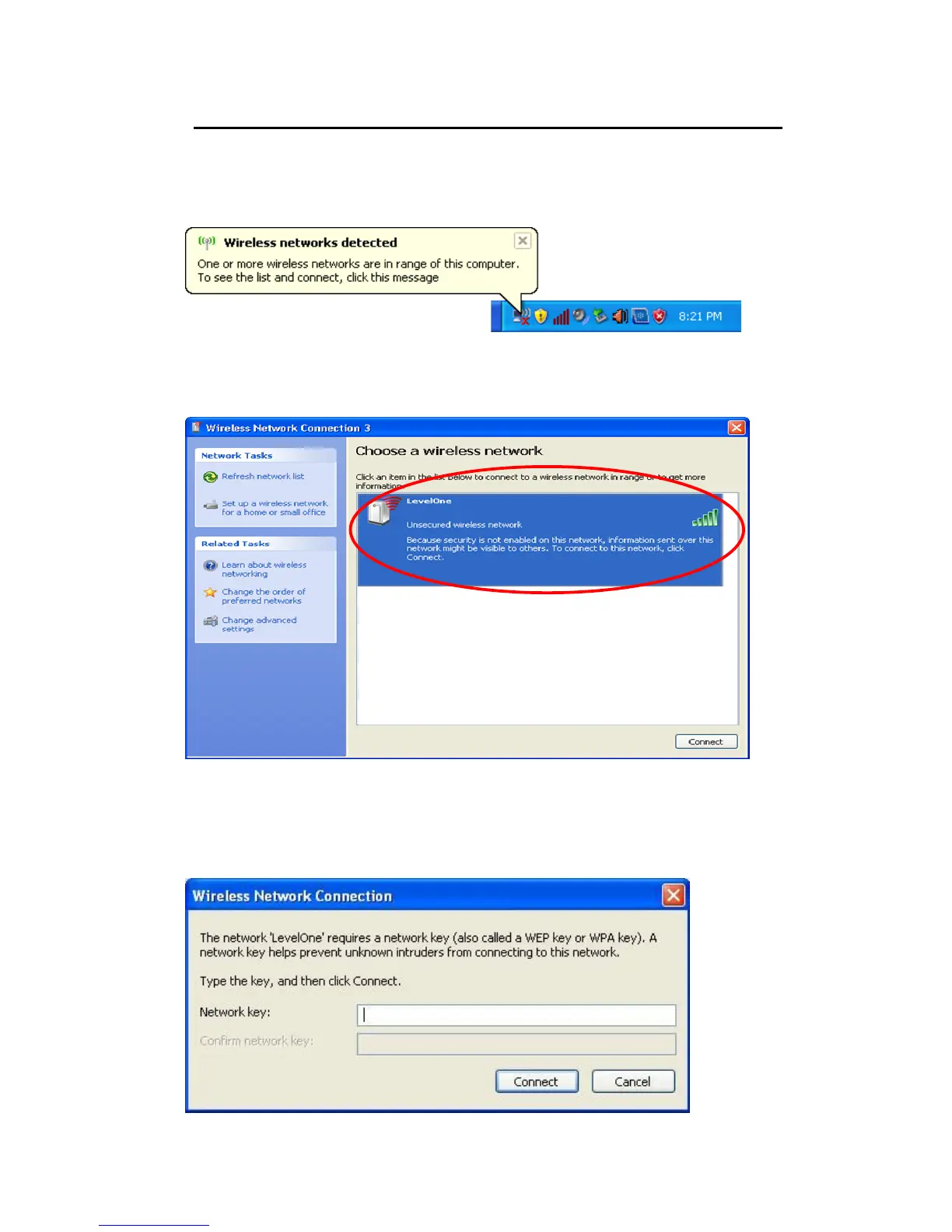
9. Double click on the wireless icon on your computer and search for the wireless network
that you enter SSID name.
10. Click on the wireless network that you enter SSID name (the default settings SSID =
LevelOne which could be found on the bottom side of the device) to connect.
11. If the wireless network is encrypted, enter your own wireless password at least 8
characters for example 12345678 in the key field / Network key field / Confirm Network
key field (the default settings Security Mode = WPA/WPA2 Mixed, Pre-Shared Key =
XXXXXXXX which could be found on the bottom side of the device). You can later
change this network key via the wireless configuration menu.



 To Next Page