12 Firmware Upgrade
About firmware versions
Firmware is a software program. It is stored as read-only memory on your device.
Your device can check whether there are later firmware versions available. If there is a later
version, you can download it via the Internet and install it on your device.
If there is a firmware update available you are strongly advised to
install it on your device to ensure that you take full advantage of
any new feature developments.
Manually updating firmware
You can manually download the latest firmware version from provider’s website to your PC’s file
directory.
Once you have downloaded the latest firmware version to your PC, you can manually select and
install it as follows:
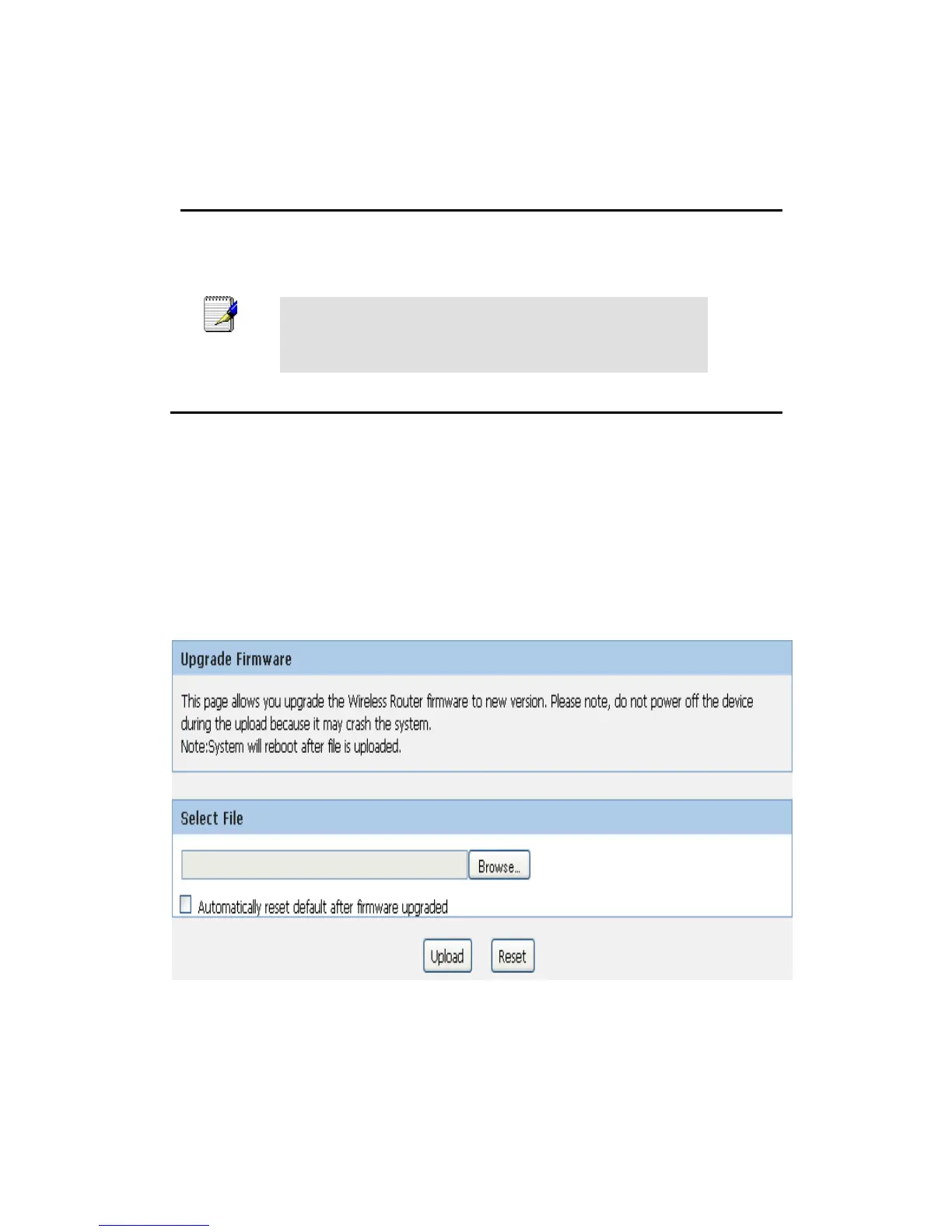
1. From the Maintenance -> Firmware Upgrade menu. The following page is displayed:
2. Click on the Browse… button.
3. Once you have selected the file to be installed, click Open. The file’s directory path is
displayed in the New Firmware Image: text box.
4. Click Automatically reset default after firmware upgraded.
5. Click Upload.
Figure 4: Manual Update Installation section



 To Next Page