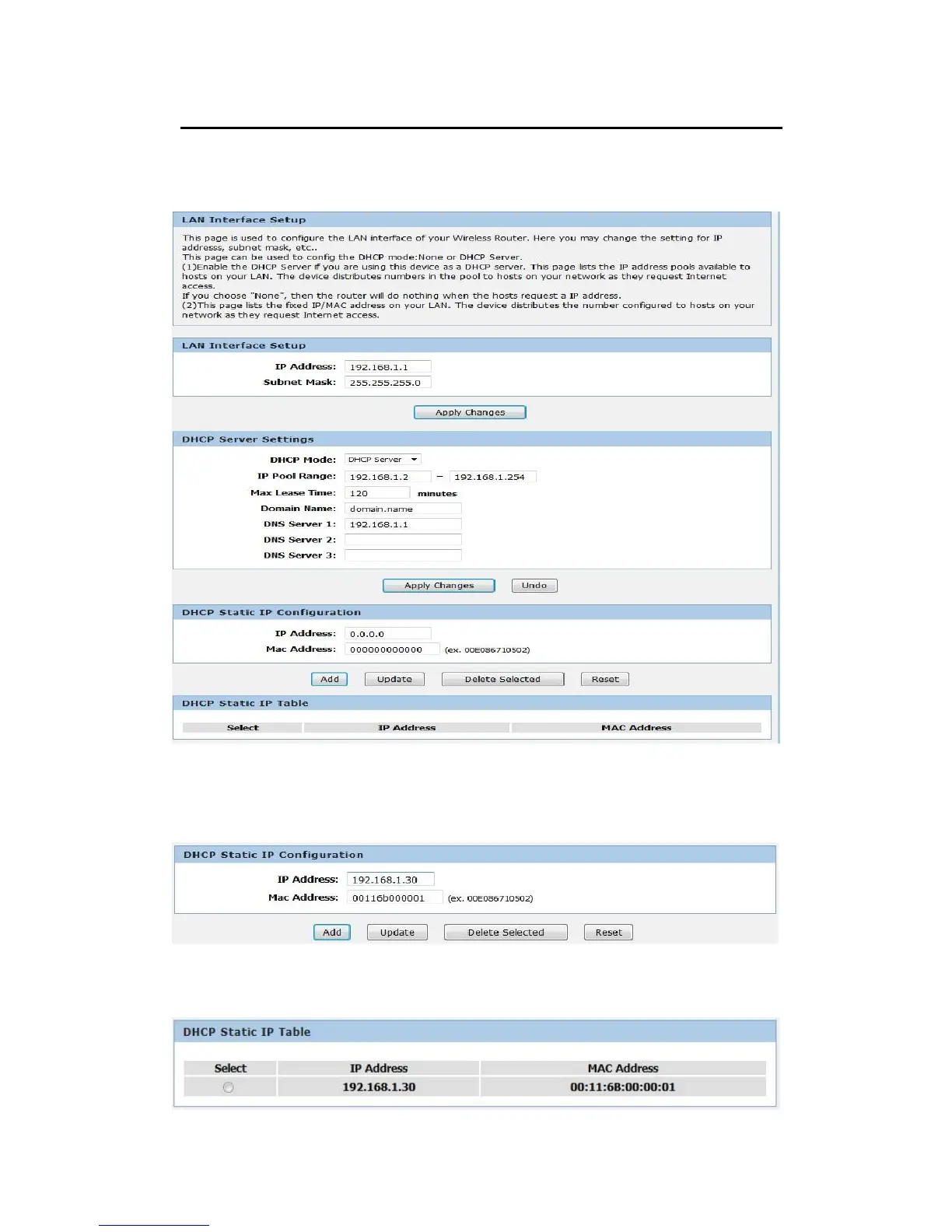
DHCP Static IP Configuration
If you need to assign static ip for your computer or device on the local area network, configure
static ip with the mac address.:
1. From the Setup menu, click on Local Network. The following page is displayed:
2. Enter the IP Address.
3. Enter the Mac Address.
4. Click Add.
5. The DHCP Static IP Configuration that you created has been added in the DHCP Static IP
Table.



 To Next Page