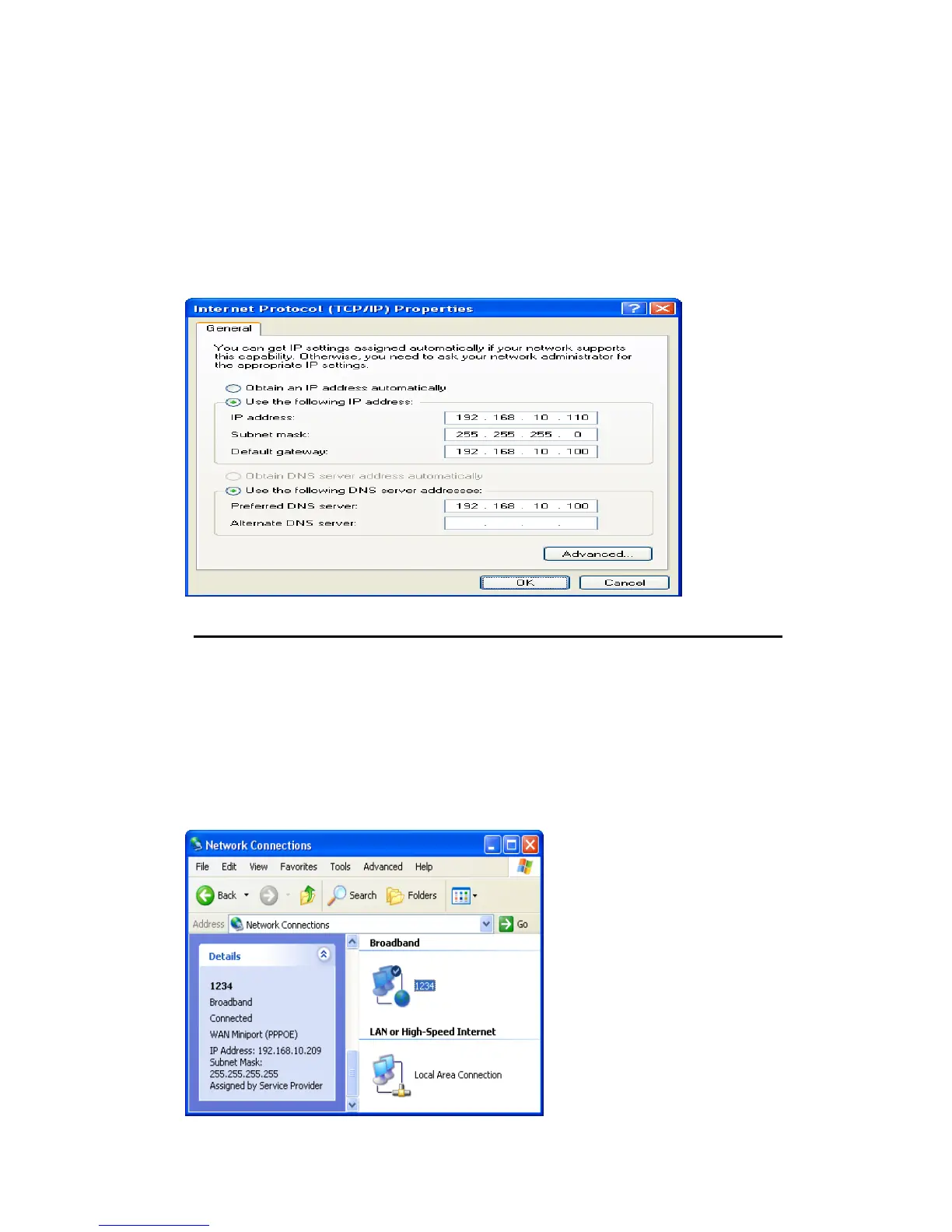
5. Right click Local Area Connection and click Properties and then you could get the IP
settings in detail and write down the IP settings as follow:
IP Address: 192.168.10.110
Subnet mask: 255.255.255.0
Default gateway: 192.168.10.100
Preferred DNS server: 192.168.10.100
Alternate DNS Server: If you have it, please also write it down.
Internet/WAN access is the PPPoE client
If you can see any Broadband Adapter in the Network Connections, your Internet/WAN
access is PPPoE Client.
6. Click Broadband Adapter in Broadband and you could see string Assigned by Service
Provider in Details.
For PPPoE configuration on Wireless Gateway, you’ll need following information that you
could get from your Telecom, or by your Internet Service Provider.
Username of PPPoE: 1234 for example
Password of PPPoE: 1234 for example



 To Next Page