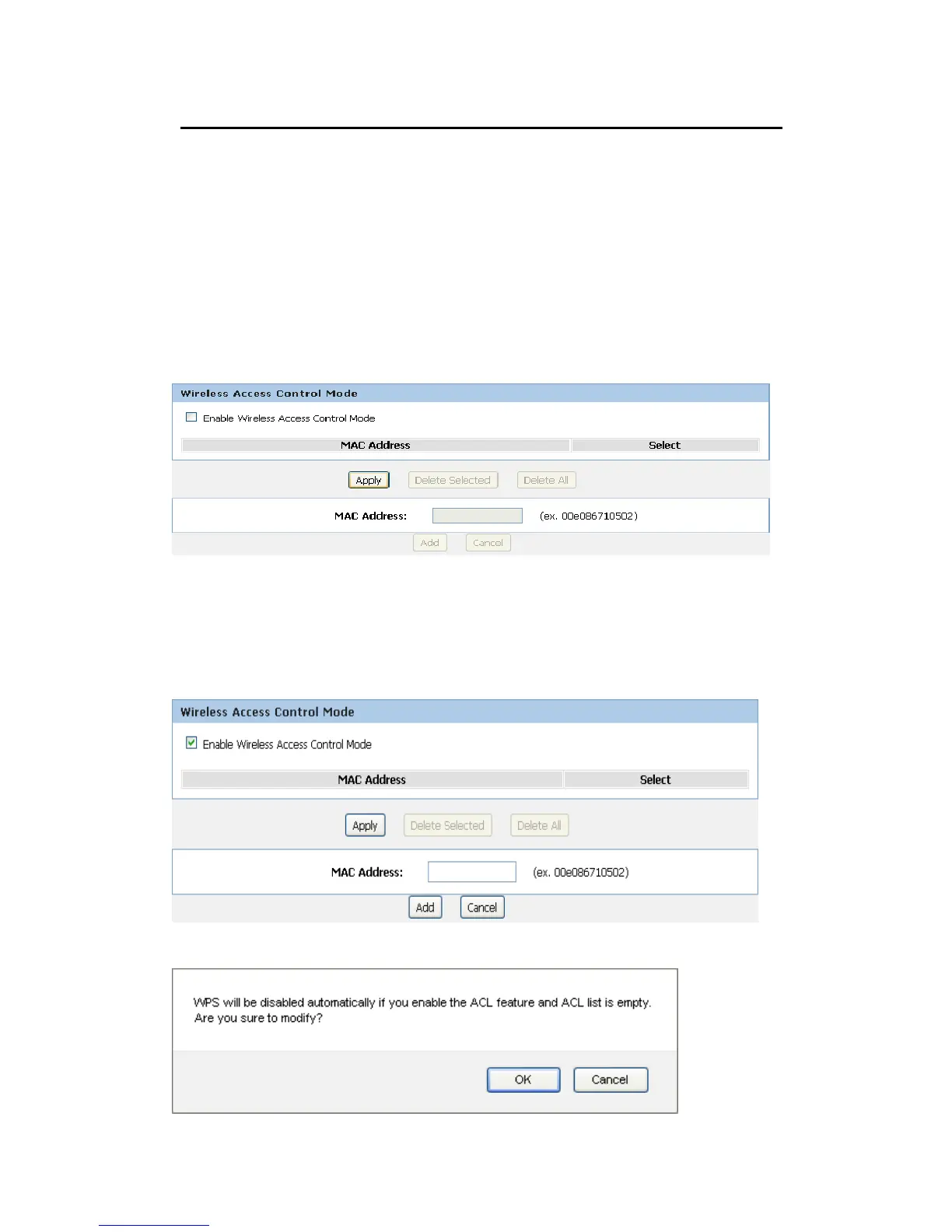
Wireless Access Control Mode
For security reason, using MAC ACL's (MAC Address Access List) creates another level of
difficulty to hacking a network. A MAC ACL is created and distributed to AP so that only
authorized NIC's can connect to the network. While MAC address spoofing is a proven means to
hacking a network this can be used in conjunction with additional security measures to increase
the level of complexity of the network security decreasing the chance of a breach.
MAC addresses can be add/delete/edit from the ACL list depending on the MAC Access Policy.
If you choose 'Allowed Listed', only those clients whose wireless MAC addresses are in the
access control list will be able to connect to your Access Point. When 'Deny Listed' is selected,
these wireless clients on the list will not be able to connect the Access Point. To access the
Wireless Network Access Control page:
From the Wireless menu, click on Wireless Advanced and then click on ACL Setup button. The
following page is displayed:
Allow Listed
If you Enable Wireless Access Control Mode, only those clients whose wireless MAC
addresses are in the access control list will be able to connect to your Access Point.
1. Enable Wireless Access Control Mode.
2. Click Apply button.
3. Click OK button.



 To Next Page