EasyManua.ls Logo

LevelOne WRE-6001 - 9 LAN Interface; LAN Interface Setup

LevelOne WRE-6001
60 pages
Print Icon
To Next Page IconTo Next Page
To Previous Page IconTo Previous Page
Loading...
31
9 LAN Interface
This chapter is to configure the parameters for local area network which connects to the
LAN port of your Access Point. Here you may change the setting for IP address, subnet
mask, DHCP, etc...
Note
You should only change the addressing details if your ISP asks
you to, or if you are familiar with network configuration. In most
cases, you will not need to make any changes to this
configuration.
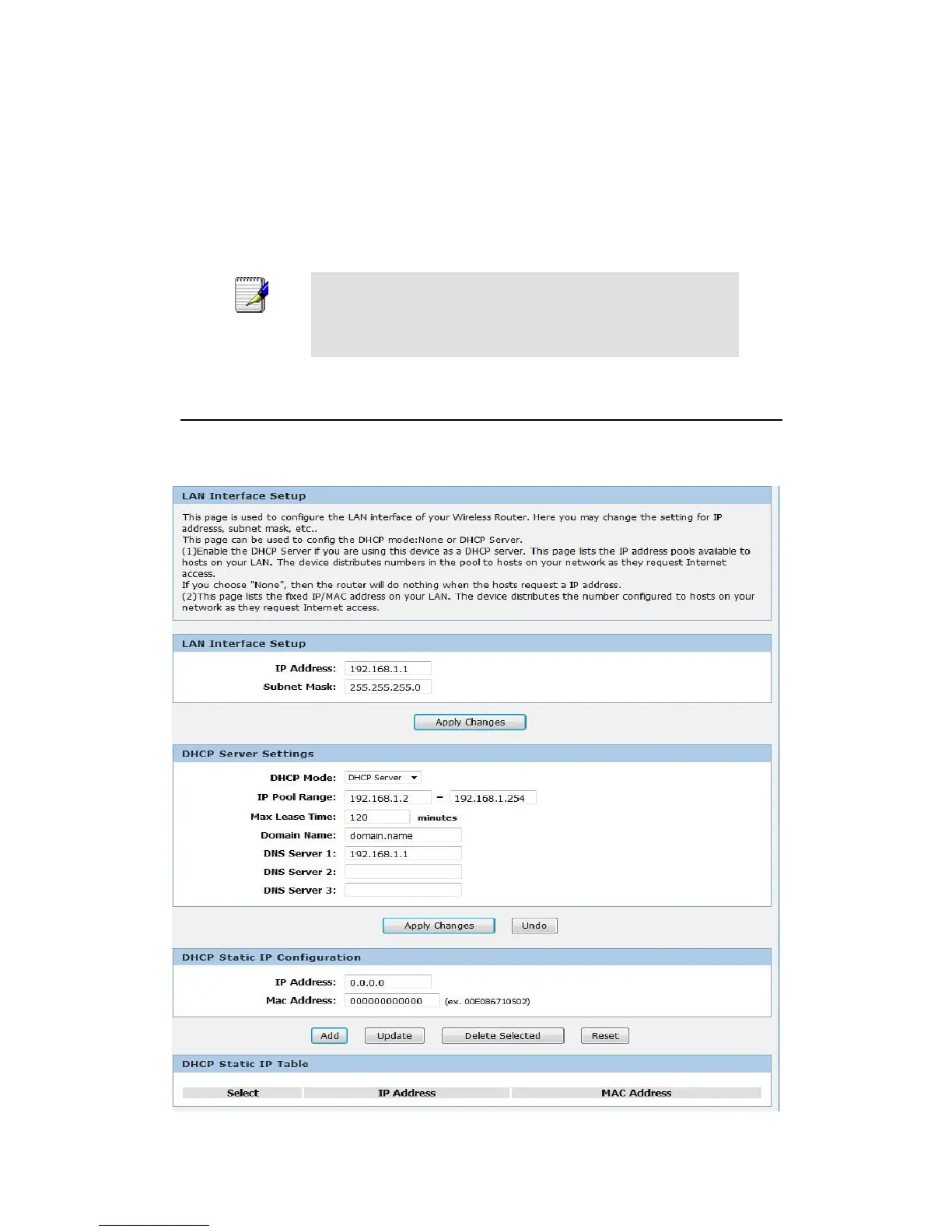
LAN Interface Setup
To check the configuration of LAN Interface:
1. From the Setup menu, click on Local Network. The following page is displayed:

Table of Contents

Other manuals for LevelOne WRE-6001

Related product manuals