15 Time and Date
Certain systems may not have a date or time mechanism or may be using inaccurate
time/day information. the Simple Network Time Protocol feature provides a way to
synchronize the device’s own time of day setting with a remote time server as described in
RFC 2030 (SNTP) and RFC 1305 (NTP).
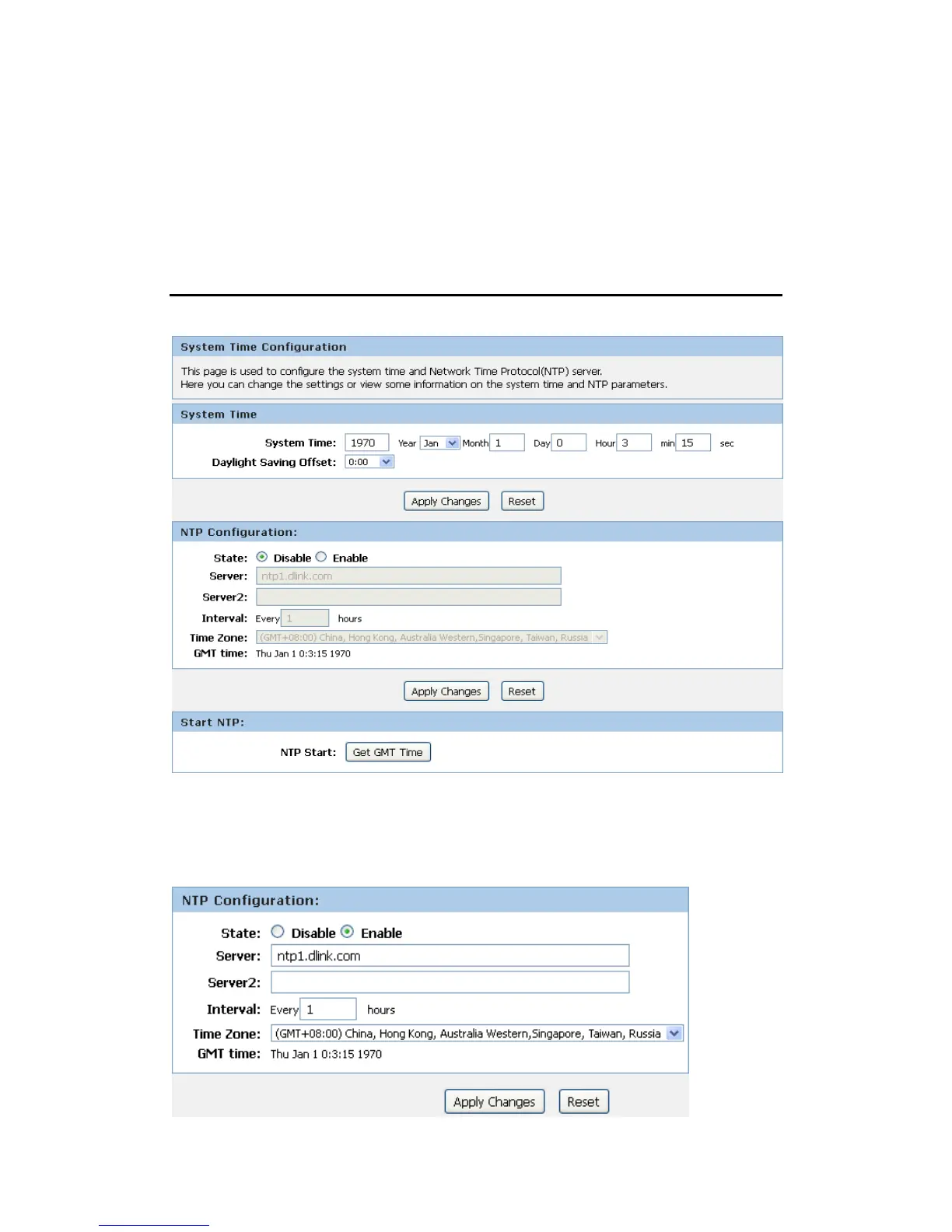
Time and Date Configuration settings
1. From the Maintenance -> Time and Date menu. The following page is displayed:
2. Check the option State.
3. Configure the Server.
4. From the Time Zone drop-down list, select Your Own Time Zone.
5. Click Apply Changes.



 To Next Page