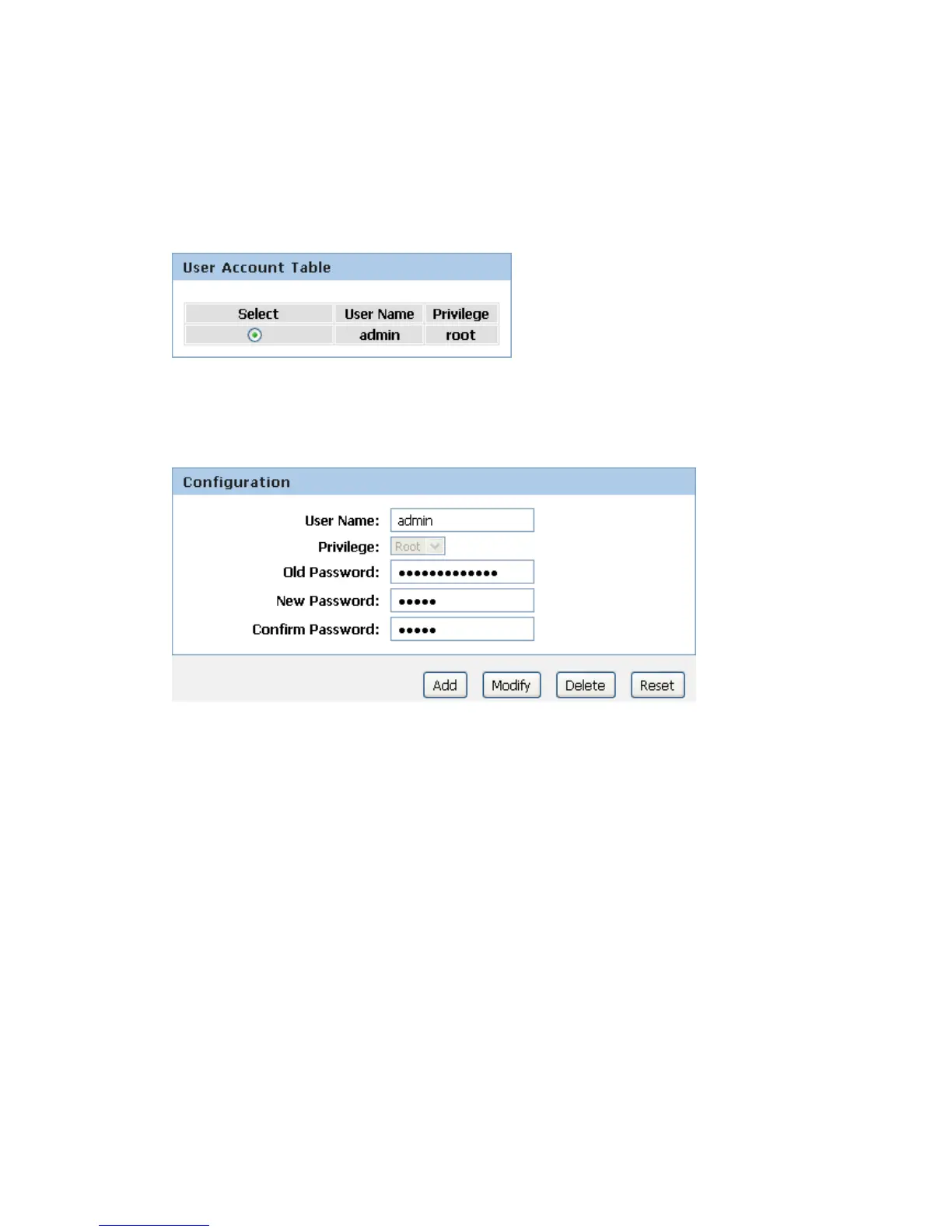
2. This page displays the current username and password settings. Change your own unique
password in the relevant boxes. They can be any combination of letters or numbers with a
maximum of 30 characters. The default setting uses admin for the username and
administrator for password.
3. If you are happy with these settings, click Modify. You will see following page that the new
user has been displayed on the Currently Defined Users. You need to login to the web pages
using your new username and new password.
4. Click on the ratio of admin from User Account Table.
5. Enter the Old Password.
6. Enter the New Password.
7. Enter the Confirm Password.
8. Click on Modify.



 To Next Page