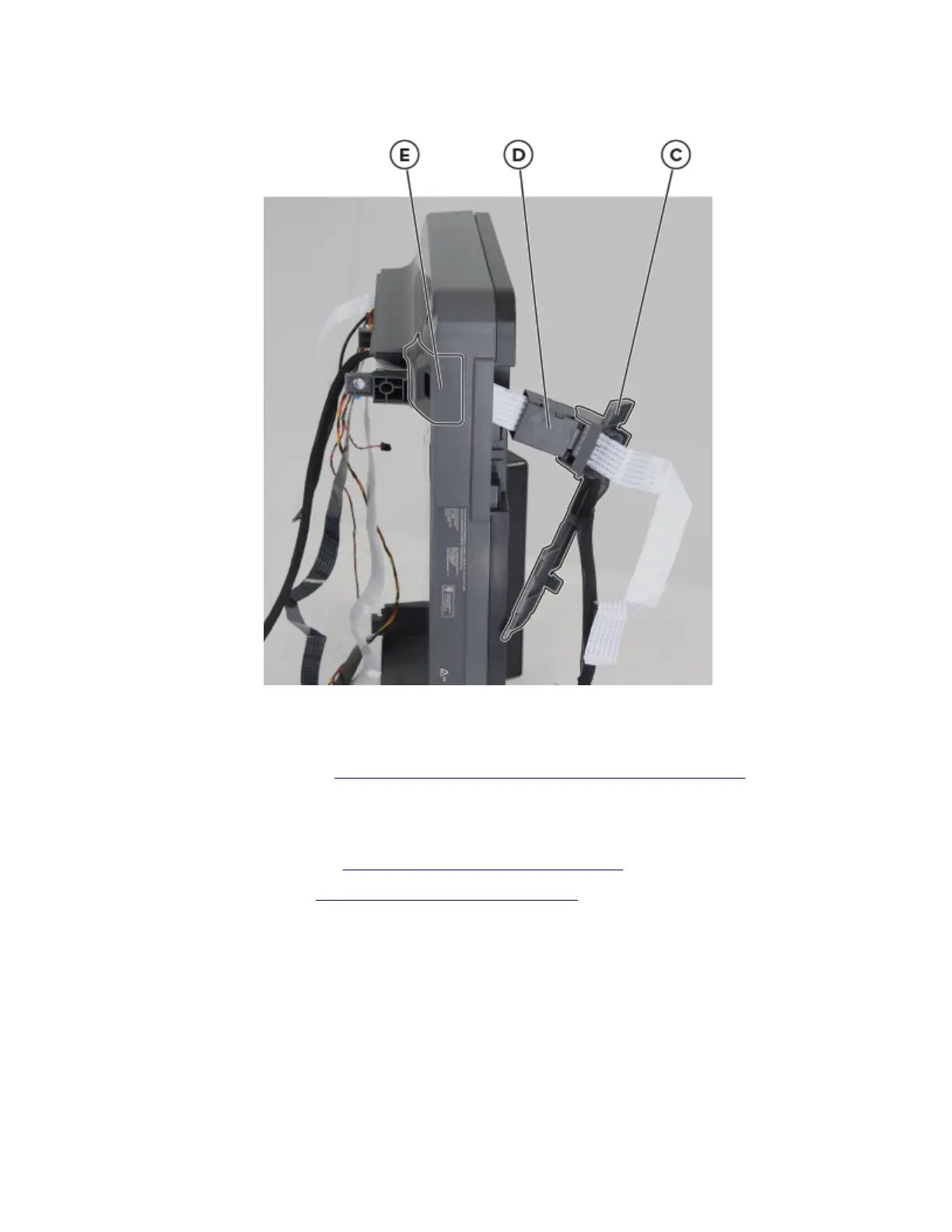
7 Remove the ADF controller board cover (C) and the holder (D), and then remove the scanner cable cover
(E).
8 Route the cables through the flatbed assembly, and then remove them.
Note: Pay attention to the routing of the
flatbed
scanner cable and of double‑sided part of the cable.
9 Remove the control panel. See “Control panel display assembly removal” on page 255.
ADF flat cable removal
1 Remove the ADF assembly. See “ADF assembly removal” on page 310.
2 Remove the right cover. See “Right cover removal” on page 237.
3 From the controller board, remove the screw (A), and then disconnect the following cables:
• Control panel cable
• Speaker cable
• ADF cable
• ADF flat cable
• CIS cable
7018
Parts removal
316


 To Next Page