Sensor (stapler access door) removal
1 Remove the stapler right cover. See “Stapler right cover removal” on page 328.
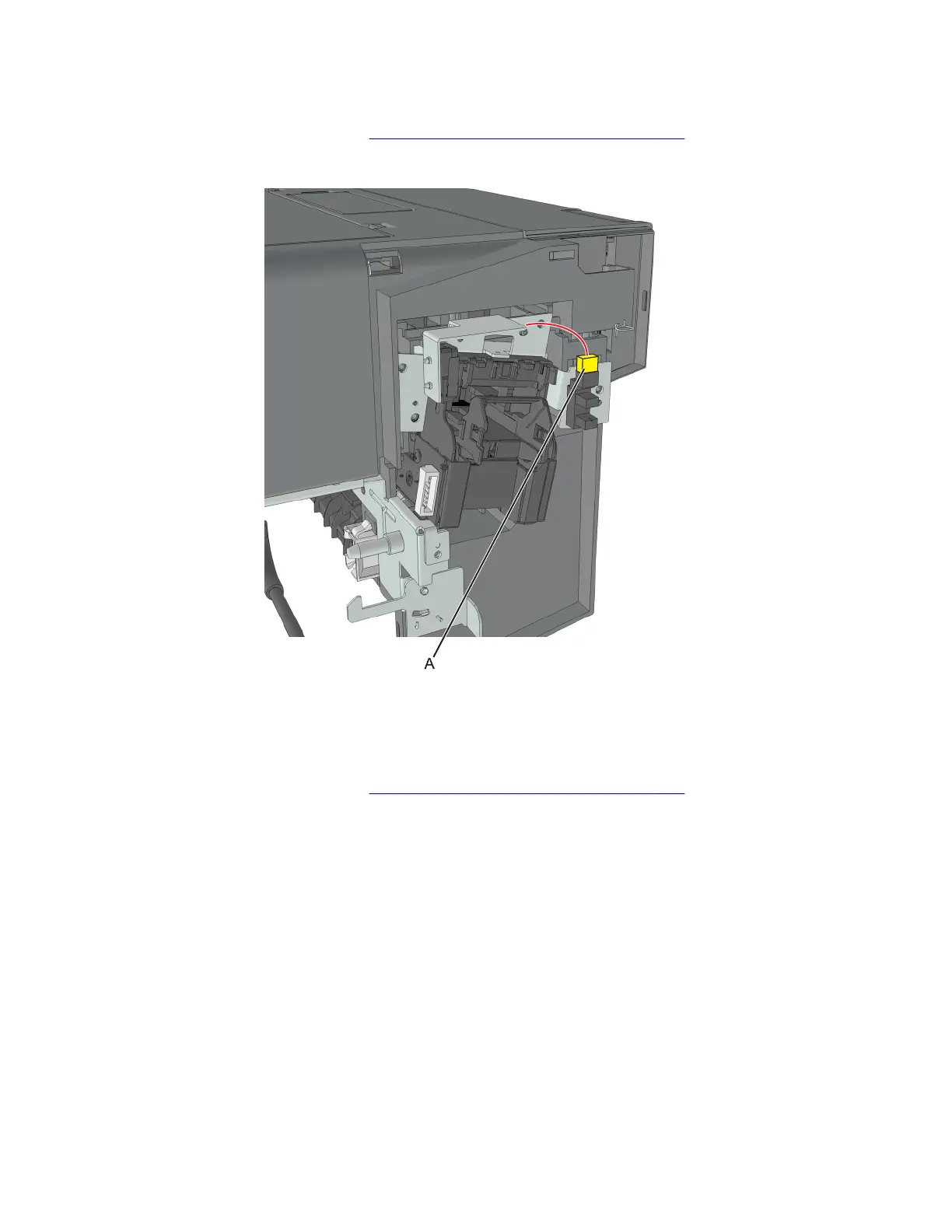
2 Disconnect the sensor cable (A).
3 Release the latches, and pull the sensor
o
the frame.
Stapler carriage assembly removal
1 Remove the stapler right cover. See “Stapler right cover removal” on page 328.
2 Disconnect the cable (A) from the carriage.
7018
Parts removal
331


 To Next Page