TIRE PRESSURE WARNING VALVE/SENSOR ACTIVATION – PD072-06 September 22, 2006
Page 5 of 5
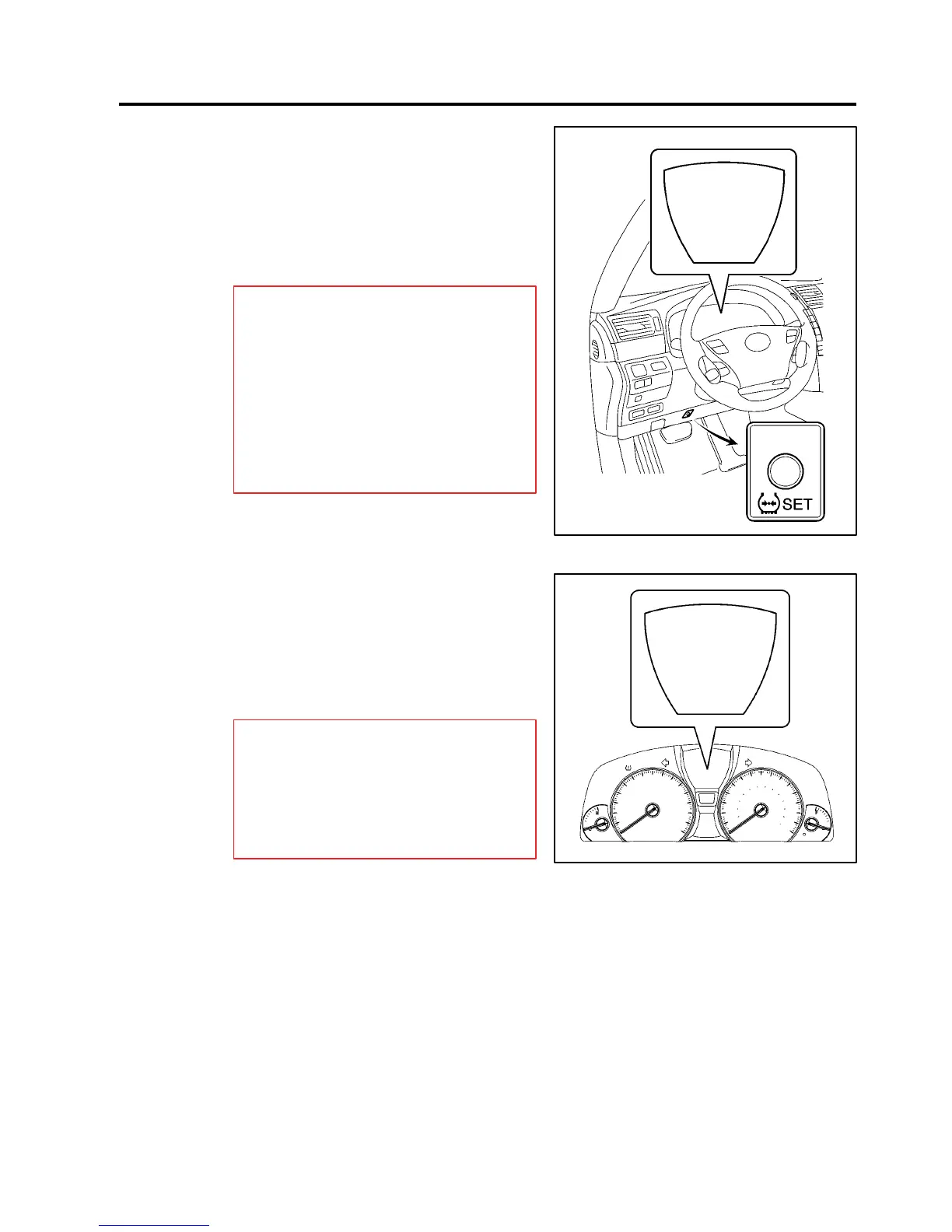
7. Push the START/STOP button until
the vehicle is in the “IG-ON” mode,
and then push and hold the Tire
Pressure Warning “SET” switch for
3 seconds until the Low Tire Pressure
Warning Light blinks 3 times and
then turns OFF to set the tire
pressure initialization.
NOTE:
S Make sure that the “Tire Pressure
Reset Proceeding” appears on the
multi-information display. After a few
seconds, the display changes to
“CHECKING” (which means the tire
pressures are being measured).
S It is necessary for the ignition to be
in the “IG-ON” mode a maximum of
5 minutes for initialization to
complete correctly.
8. Check that the tire pressures for
all 5 tires is displayed on the
multi-information display.
If the tire pressure values are NOT
displayed on the multi-information
display, the initialization is
NOT complete.
NOTE:
S Check that the tire pressure adjusted
in step 6 is displayed.
S Initialization will be completed if
signals are received from all 5 tires.
It takes 2 to 3 minutes to display the
tire pressure data.
Activation
Procedure
(Continued)
TIRE PRESSURE
CHECKING
Includes
Spare
Tire
[psi]
CHECKING
CHECKING
CHECKING
CHECKING
Tire Pressure
Warning “SET”
Switch
TIRE PRESSURE
33
Includes
Spare
Tire
[psi]
33
33
33
33












 To Next Page