XM
r
ACTIVATION CONFIRMATION DURING PDS – PD073-06 September 22, 2006
Page 2 of 3
1. With the vehicle in clear line of sight to the sky, power ON the radio. (The vehicle
does NOT have to be running, but the radio must be powered ON.)
2. Press the “AM/SAT” button to switch the band to “SAT1”.
Are XM channels 7, 9, 152, and 175 displayed and audible?
The audio portion of the XM system
is already activated. (This should be
the case for most LS 460 vehicles.)
Go to step 3.
NO
YES
Go to the “Activation Procedure” in
this TSIB.
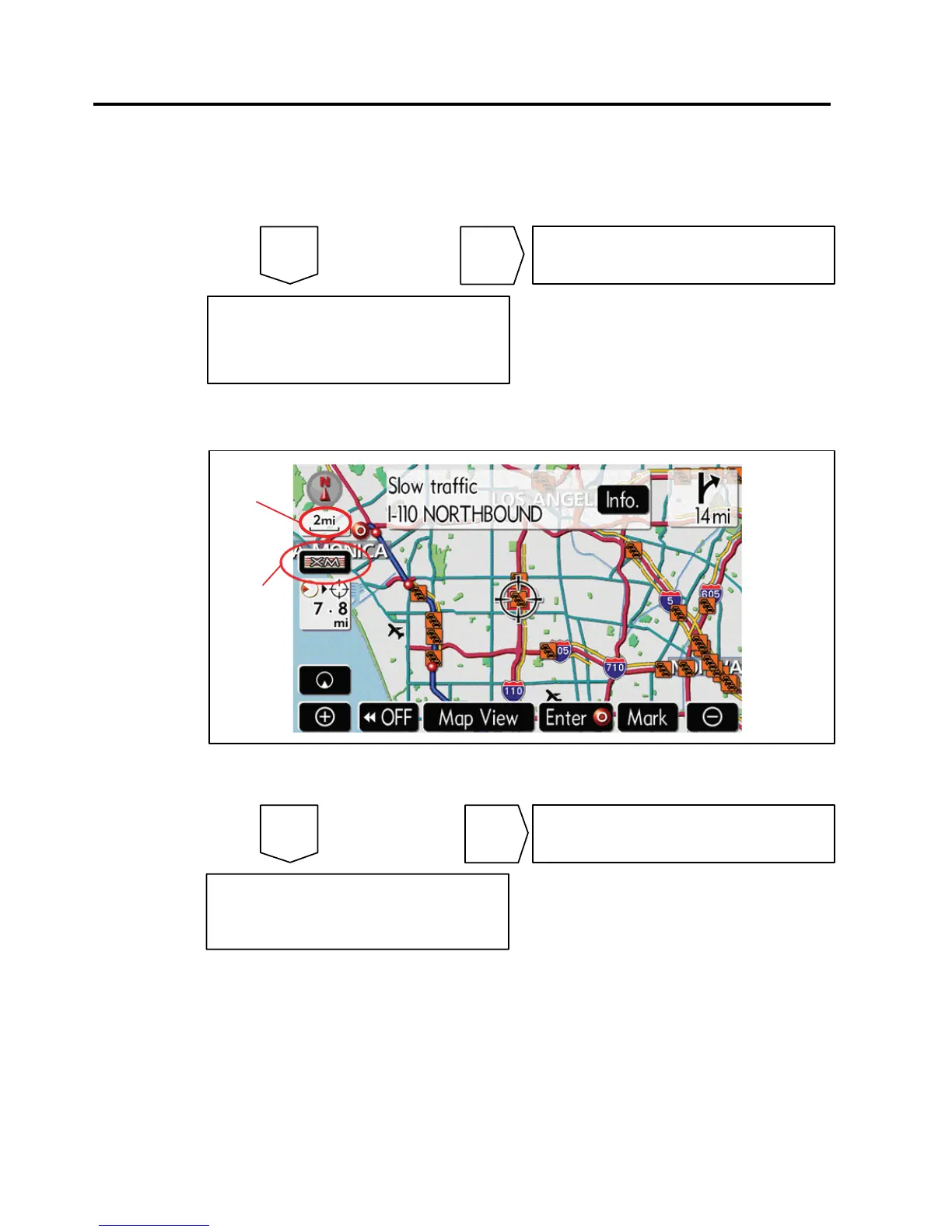
3. Press “MAP” to bring up the navigation map screen. Ensure that the map screen is
zoomed in to AT LEAST the 8mi scale.
XM Logo
Map Scale
Is the XM logo visible on the left hand side of the screen? (XM logo color is not
important.)
NOYES
The NavTraffic portion of the XM
system is already activated. XM
activation is now completed.
Go to the “Activation Procedure” in
this TSIB.
Confirmation
Procedure












 To Next Page