EasyManua.ls Logo

LG 42PB4D - Color Tone -User Mode

LG 42PB4D
152 pages
Print Icon
To Next Page IconTo Next Page
To Previous Page IconTo Previous Page
Loading...
PICTURE CONTROL
99
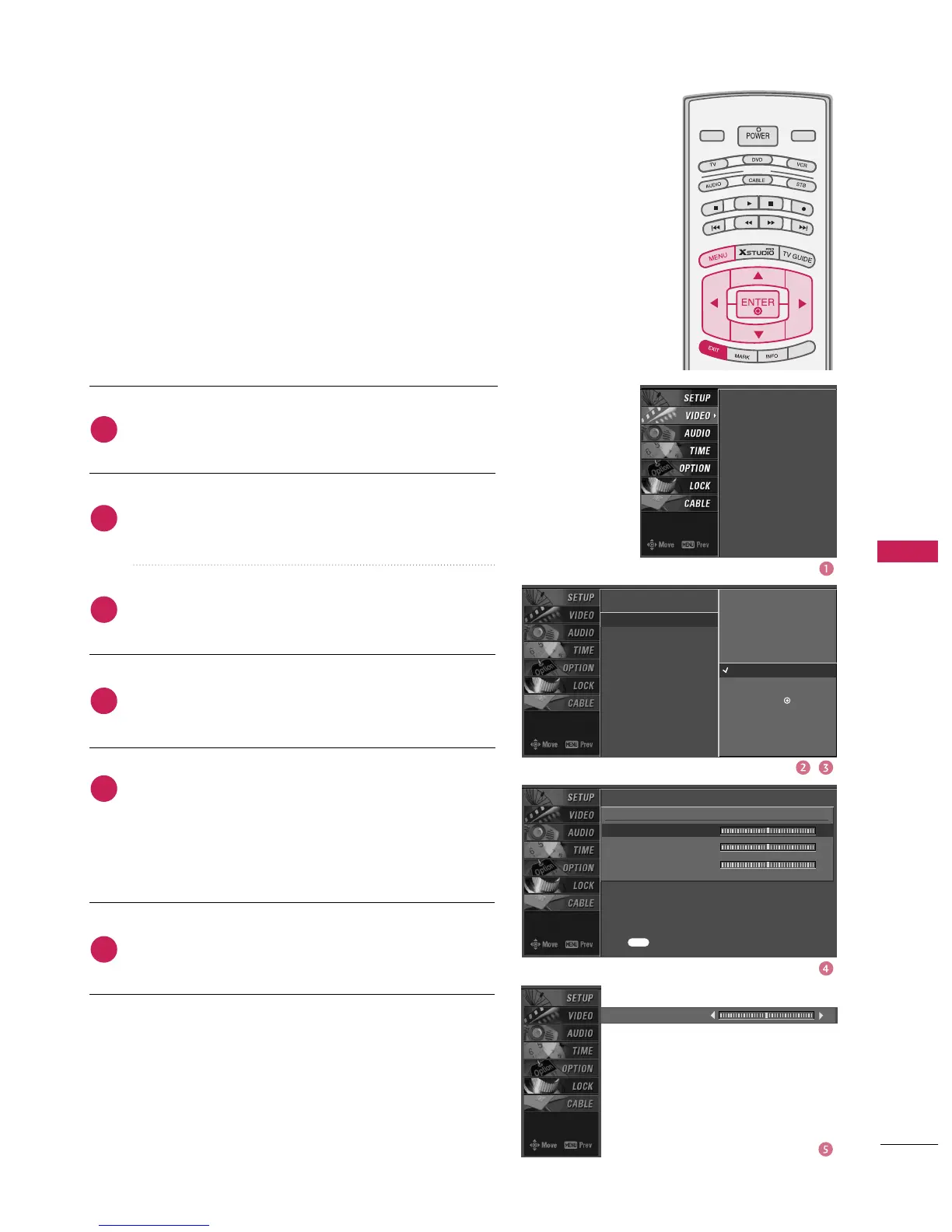
You can also adjust the detailed settings(Red, Green, Blue)
by selecting the
User
menu.
Press the
MENU
button and then use
D
or
E
button
to select the
VIDEO
menu.
Press the
G
button and then use
D
or
E
button to
select
Color Temperature
.
Press the
G
button and then use
D
or
E
button to
select
User
.
Press the
G
button and then use
D
or
E
button to
select
Red
,
Green
, or
Blue
.
Press the
G
button and then use
F
or
G
button to
make appropriate adjustments.
The adjustment range of
Red
,
Green
, or
Blue
is -20~ +20.
Press
EXIT
button to return to TV viewing or press
MENU
button to return to the previous menu.
MODE
LIVE TV
INPUT
DAY -
DAY +
S
IMPL
IN
K
Red 0
E
EZ Picture
Color Temperature
XD
Advanced
Video Reset
EZ Picture
Color Temperature
XD
Advanced
Video Reset
Press to confirm.
MENU
Selection (
G
or ) leads you
to the detailed setting
screen.
Cool
Medium
Warm
User
G
User
Red 0
G
Green 0
Blue 0
2
3
4
5
6
1
Color Tone -User Mode

Table of Contents

Related product manuals