PICTURE CONTROL
96
PICTURE CONTROL
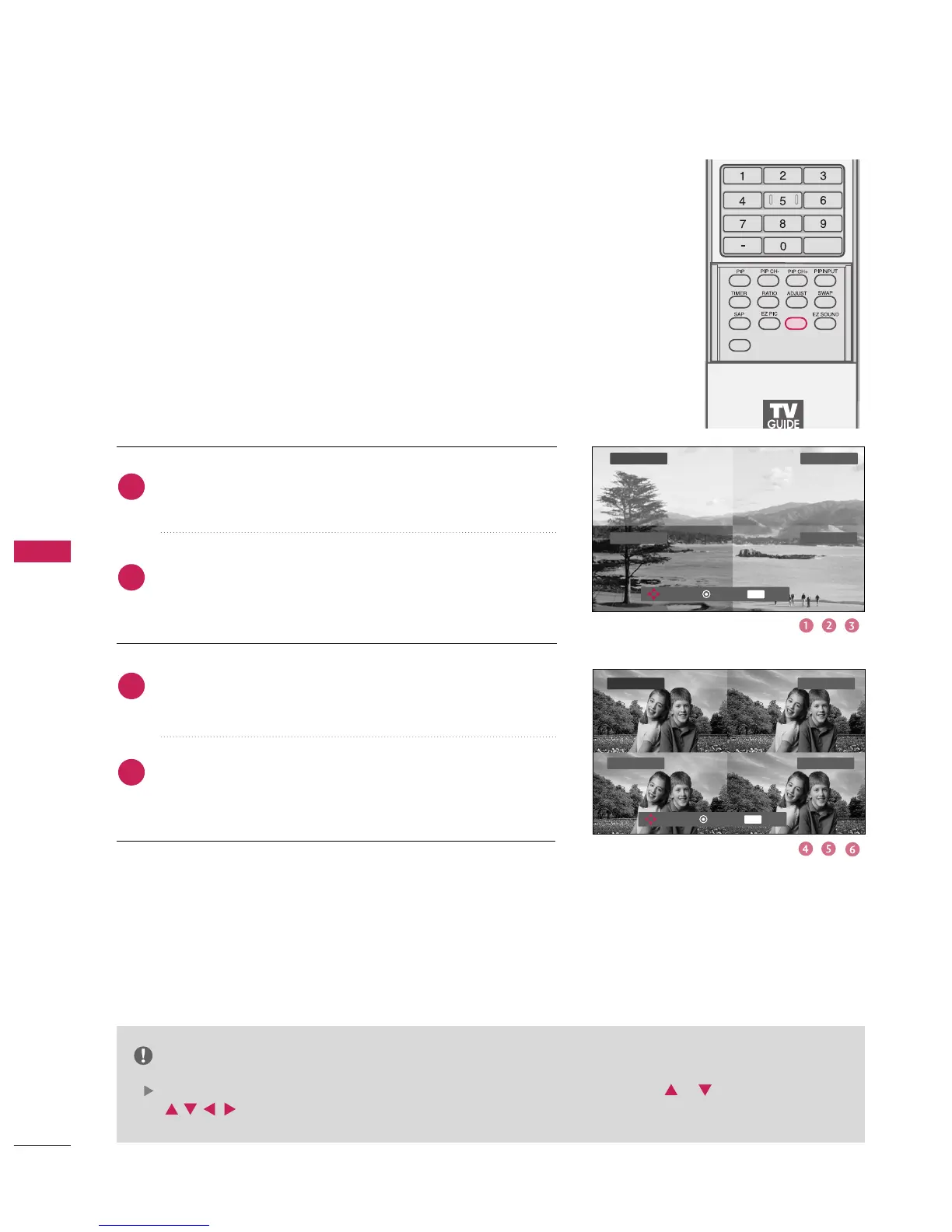
Adaptive Picture Mode
(
APM
)
Press the
button at once. As shown below, the screen
is divided to 4-split.
Use the
button to navigate 4 EZ Pictures.
By pressing the
button, you can select the desired
mode.
Press the
button twice times. The 4-same screens are
displayed. You can easily compare with 4 modes.
Use the
button to navigate 4 EZ Pictures.
By pressing the
button, you can select the desired
mode.
Allows you to select your preferred picture mode after compar-
ing the four different picture (Daylight , Normal , Night Time ,
User 1 and User 2) settings.
FLASHBK
APM
CC
Daylight Normal
User 1
Night Time
EXIT
Navigate Select Exit
NOTE
While operating the 4-split, any button except
or
button on the remote control are not usable.
2
3
4
1
Daylight Normal
User 1Night Time
EXIT
Navigate Select Exit



 To Next Page