PREPARATION
12
PREPARATION
ATTACHING THE TV TO A WALL
We recommend that you set up the TV close to a wall so it cannot fall over if pushed backwards.
Additionally, we recommend that the TV be attached to a wall so it cannot be pulled in a forward direction, poten-
tially causing injury or damaging the product.
Caution: Please make sure that children don’t climb on or hang from the TV.
■
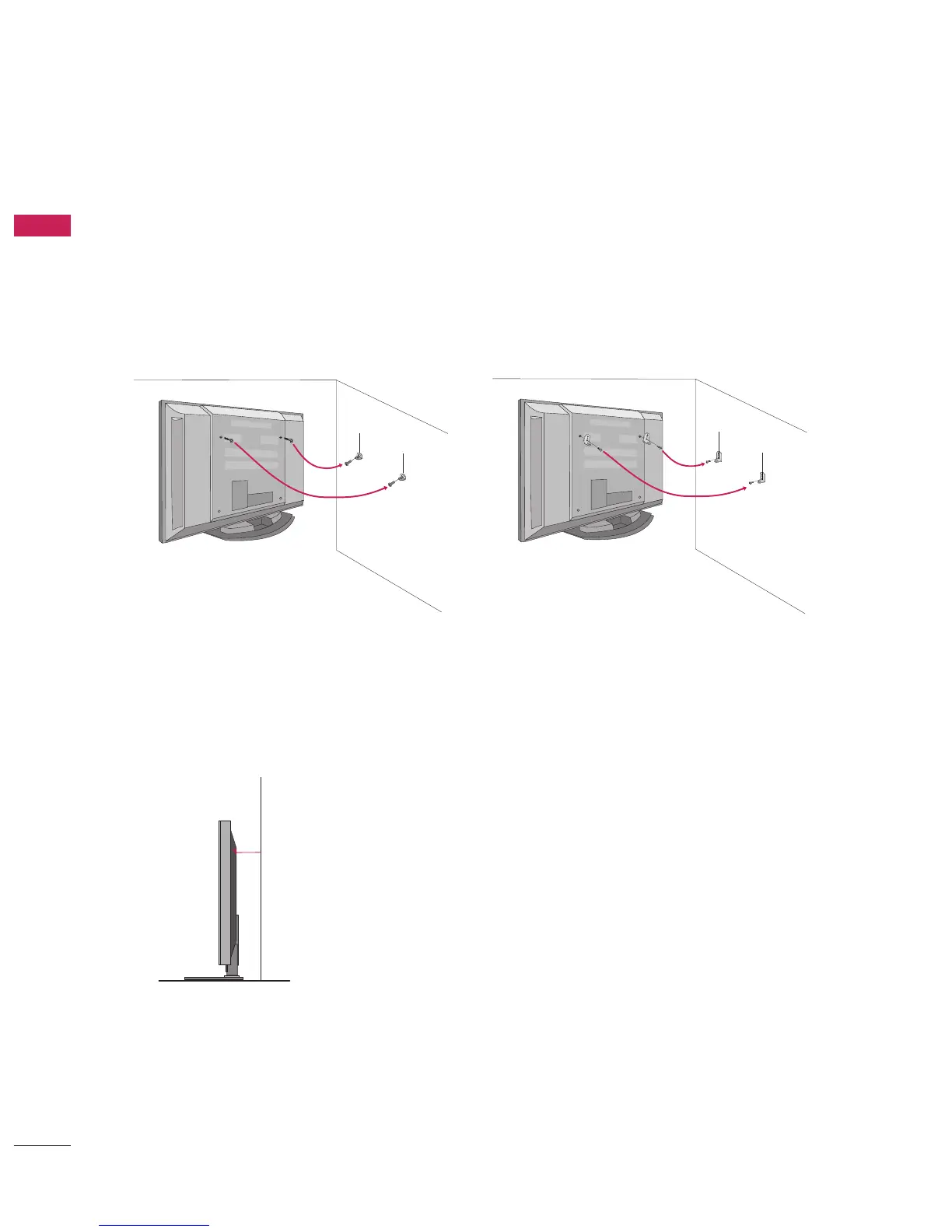
Insert the eye-bolts (or TV brackets and bolts) to tighten the product to the wall as shown in the picture.
*Insert the eye-bolts and tighten them securely in the upper holes.
Secure the wall brackets with the bolts (not provided as parts of the product, must purchase separately )
on the wall. Match the height of the bracket that is mounted on the wall to the holes in the product.
Ensure the eye-bolts or brackets are tightened securely.
■
Use a sturdy rope (not provided as parts of the product, must purchase sepa-
rately) to tie the product. It is safer to tie the rope so it becomes horizontal
between the wall and the product.
42/50PB4D
60PB4D
■
This feature is not available for all models.



 To Next Page